 Australia
 New Zealand
 Singapore
 Hong Kong
 Malaysia
 Philippines
 Thailand
 Indonesia

Introduction
Proficiency in various software applications has become a crucial requirement for many job roles. The advancements in technology and the increasing reliance on digital tools have led to a demand for professionals who possess specialized skills in software applications. Among the wide range of software tools available, the Adobe Suite stands out as a powerful and versatile solution for various creative and digital tasks. Adobe Acrobat, a component of the Adobe Suite, is particularly notable for its ability to create, edit, and manage PDF documents. In this article, we will explore the benefits of earning an Adobe Acrobat certification, the demand for these skills, and the process of becoming certified.
What is Adobe Acrobat Certification?
Earning an Adobe Acrobat certification demonstrates a candidate's expertise and proficiency in utilizing the features and functionalities of Adobe Acrobat. The certification process typically involves completing a comprehensive training program and passing an examination to validate the student’s knowledge and skills in using the software effectively. By obtaining this certification, candidates showcase their ability to leverage the full potential of Adobe Acrobat, including its advanced features for document creation, editing, collaboration, and security.
Demand for Adobe Acrobat Skill Sets

The demand for Adobe Acrobat skills is rapidly increasing across various industries, particularly in the corporate world. Organizations of all sizes rely on Adobe Acrobat to create, edit, convert, and securely share PDF documents. In fact, recent statistics indicate that Adobe Acrobat is the most widely used PDF editing software in Australia, with over 70% market share. This highlights the significance of Adobe Acrobat skills in the job market and the need for candidates who can effectively utilize its capabilities to streamline document workflows and enhance productivity.
According to research, Australian businesses reported a growing need for employees with Adobe Acrobat proficiency. This high demand is driven by several factors, including the increasing digitization of document processes, the need for efficient collaboration across teams and departments, and the importance of document security and compliance. As organisations transition to paperless environments, the ability to create, edit, and manage PDF documents becomes essential, making Adobe Acrobat skills highly sought after by employers.
The Benefits of Adobe Acrobat Certification
Demonstrates Expertise
Earning an Adobe Acrobat certification showcases your proficiency in utilizing the software's advanced features and techniques. This expertise is highly valued by employers, as it ensures efficient document management, effective collaboration, and adherence to industry standards. Employers recognize the importance of having employees who can navigate the complexities of Adobe Acrobat and leverage its capabilities to meet organizational needs.
Sets Candidates Apart
With the increasing competition in the job market, having an Adobe Acrobat certification sets candidates apart from others who may have similar qualifications. It demonstrates a commitment to professional development and a willingness to acquire specialized skills that can contribute to the organization's success. Employers are more likely to shortlist candidates with certifications, as it provides a tangible validation of their skills and knowledge in using Adobe Acrobat effectively.
Enhanced Productivity
Adobe Acrobat offers a wide range of powerful features, such as form creation, digital signatures, and document security. Being certified in Adobe Acrobat equips candidates with the knowledge to leverage these tools effectively, resulting in improved productivity and streamlined document workflows. By utilizing advanced features like batch processing, OCR (Optical Character Recognition), and document automation, certified professionals can significantly reduce manual tasks and increase efficiency.
Flexibility and Versatility
Adobe Acrobat is utilized across various industries, including legal, finance, healthcare, and education. Obtaining an Adobe Acrobat certification provides candidates with the flexibility to work in different sectors, expanding their career opportunities. Whether it's creating legal contracts, processing invoices, or generating educational materials, the skills acquired through certification enable professionals to adapt to different industry requirements and contribute effectively in their respective fields.
Earning an Adobe Acrobat Certification
Becoming Adobe Acrobat certified is a straightforward process that can be achieved through various training programs. One notable course that helps individuals master Adobe Acrobat Pro DC is Nexacu's Adobe Acrobat Pro DC Mastery course. This comprehensive training covers a wide range of key functionalities to ensure participants develop a deep understanding of the software.
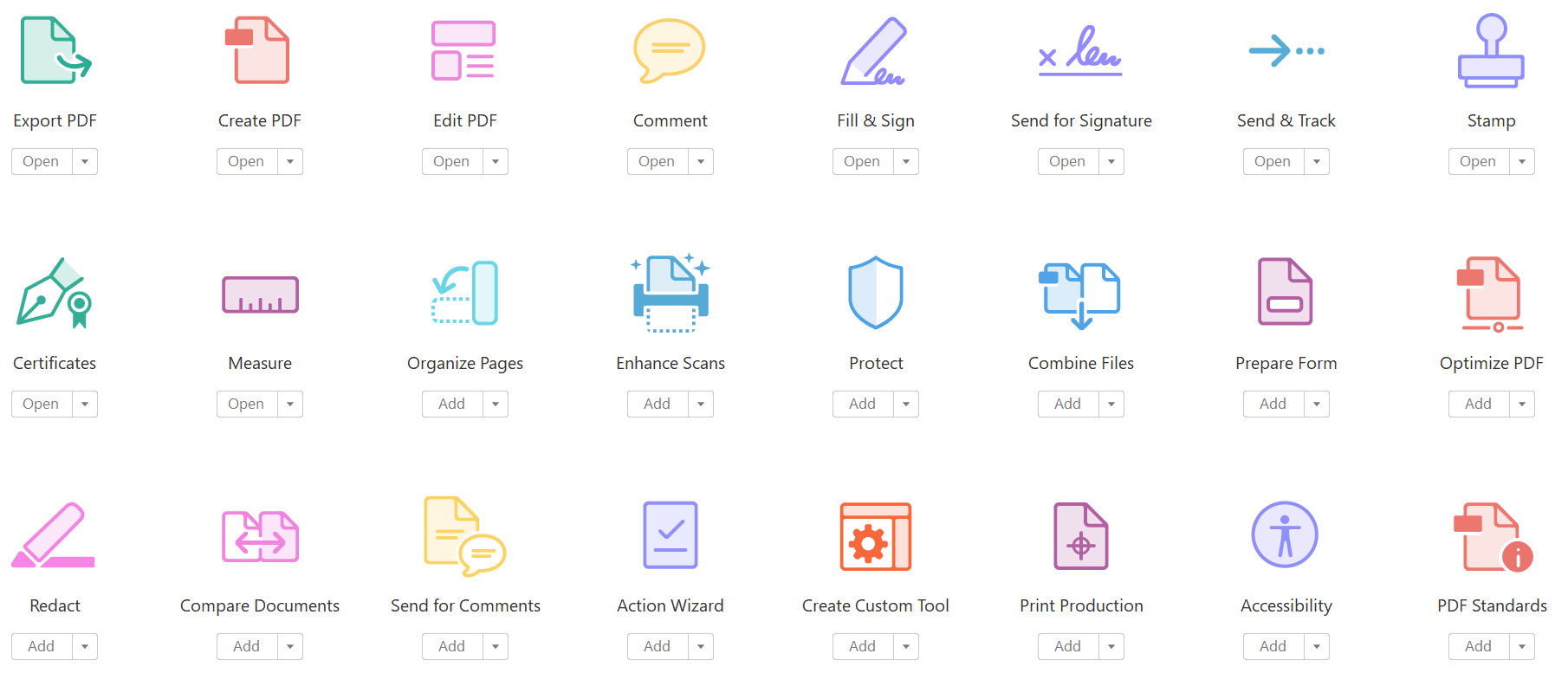
The course begins with teaching participants how to access PDF documents. They learn how to open and browse through PDF files effectively. Participants are then guided on creating and saving PDF documents. They learn to create PDFs from existing documents and web pages, as well as combine multiple PDF files.
Navigating content within a PDF document is also extensively covered in the course. Participants learn how to perform searches within a PDF document and across multiple PDFs. They are taught to work with bookmarks, links, and buttons to enhance document navigation.
Modifying PDF documents is another crucial aspect covered in the course. Participants learn how to manipulate pages within a PDF, edit document content, and add various page elements.
Reviewing PDF documents is emphasized to ensure participants can collaborate effectively. They learn to add comments and markup to provide feedback. The course also covers how to compare different versions of PDF documents and initiate and manage document reviews. Additionally, participants gain knowledge and skills in digitally signing PDF documents.
Converting PDF files is an essential part of the course. Participants learn techniques to reduce the file size of a PDF document, optimize PDF files for different purposes, and convert PDF document content for reuse.
Nexacu's Adobe Acrobat Pro DC Mastery course is designed to cater to individuals at all skill levels, from beginners to experienced users. The training offers flexible learning options, including instructor-led remote or in-class training sessions. The course is delivered by experienced trainers who provide guidance, insights, and real-world scenarios to reinforce participants' understanding of Adobe Acrobat's capabilities. By completing this course, participants not only prepare themselves for Adobe Acrobat certification but also acquire practical skills that can be immediately applied in their professional roles.
Conclusion
In conclusion, earning an Adobe Acrobat certification offers numerous advantages for candidates seeking to excel in today's competitive job market. Employers across various industries value the expertise and proficiency that come with this certification. With the demand for Adobe Acrobat skills continuing to rise, individuals who possess this certification gain a competitive edge, proving their ability to enhance productivity, streamline document workflows, and adhere to industry standards. If you are looking to enhance your skills in Adobe Acrobat, consider enrolling in Nexacu's Adobe Acrobat Pro DC Mastery course, which will provide you with the knowledge and confidence to earn your Adobe Acrobat certification and take your career to new heights.
























