Recent Searches
Category

Microsoft Power BI

Category

Microsoft Copilot Courses

Category

AI for Business

Category

Microsoft Windows 11 Courses

Category

Microsoft 365

Category

Microsoft Excel

Category

Excel Specialist

Category

Microsoft Project

Category

R Programming

Category

Python

Category

Power Apps

Category

SQL

Category

SharePoint

Category

Microsoft Teams

Category

Power Automate

Category

Microsoft Visio

Category

Microsoft PowerPoint

Category

Microsoft Word

Category

Microsoft Outlook

Category

Adobe InDesign Courses

Category

Adobe Photoshop Courses

Category

Adobe Illustrator Courses

Category

Adobe Premiere Pro Training

Category

Adobe After Effects Training

Category

Adobe Acrobat Courses

Category

Adobe Captivate Training

Category

Adobe Animate Training

Category

Canva Courses

Category

HTML Courses

Category

WordPress

Category

Professional Development

Category

Microsoft Access

Category

Webinars Old

Course

Power BI Beginner

Course

Copilot for M365

Course

Windows 11 End User Course

Course

Excel Beginner

Course

Financial Modelling

Course

Project Beginner

Course

R Programming Beginner

Course

Python Beginner

Course

Power Apps Beginner

Course

SQL Beginner

Course

SharePoint Beginner

Course

Teams Essentials

Course

Visio Essentials

Course

PowerPoint Level 1

Course

Word Intermediate

Course

Word Beginner

Course

Word Advanced

Course

Microsoft Outlook Beginner to Intermediate

Course

InDesign Lite

Course

Photoshop Lite

Course

Illustrator Training Intro

Course

Premiere Training Intro

Course

After Effects Training Intro

Course

Acrobat Essentials

Course

Captivate Training

Course

Animate Training Intro

Course

Canva AI

Course

HTML Training Intro

Course

Achieving Leadership & Success

Course

Microsoft Access Essentials

Course

Copilot for M365 On Demand

Course

Power BI Intermediate

Course

Copilot for Word

Course

ChatGPT Beginner

Course

Microsoft 365 Beginner

Course

Excel Intermediate

Course

Analysis and Dashboards

Course

Project Intermediate

Course

R Programming Intermediate

Course

Python Intermediate

Course

Power Apps Intermediate

Course

SQL Intermediate

Course

SharePoint Intermediate

Course

PowerPoint Level 2

Course

InDesign Training Intro

Course

Photoshop Training Intro

Course

Acrobat Forms

Course

Anger Management & Negotiation Skills

Course

Copilot for M365 Live Online

Course

Power BI Advanced

Course

Copilot for Excel

Course

AI Prompting Fundamentals

Course

Microsoft 365 Intermediate

Course

Excel Advanced

Course

Excel VBA

Course

Project Advanced

Course

R Programming Advanced

Course

Python Advanced

Course

Power Apps Intermediate | Power Automate + Power BI Integration

Course

SharePoint Advanced (Site Owner)

Course

InDesign Training Advanced

Course

Assertiveness & Confidence

Course

Microsoft Access Advanced

Course

Power BI DAX

Course

Copilot for PowerPoint

Course

Excel Expert

Course

Machine Learning in R

Course

Power Apps Advanced

Course

SharePoint Advanced (Document Governance)

Course

Building Resilience

Course

Copilot for Outlook and Teams

Course

Coaching and Mentoring

Course

Illustrator Training Advanced

Course

Premiere Basics Training

Course

Advanced After Effects Training

Course

Canva Beginners

Course

WordPress Essentials

Course

Communications

Course

Microsoft Copilot Studio Building AI Agents

Course

AI for Business Leaders and Managers

Course

Photoshop Training Advanced

Course

Advanced Premiere Training

Course

Canva Intermediate

Course

Communications & Quality Client Service Training

Course

Power BI Copilot Training

Course

InDesign Interactivity Training

Course

Canva Advanced

Course

Critical Thinking and Problem Solving

Course

M365 Copilot for Customer Service

Course

AI Governance Training

Course

InDesign Accessibility Training

Course

Cultural Diversity in the Workplace

Course

M365 Copilot for Sales

Course

Microsoft Outlook Advanced

Course

Embracing Change

Course

SQL Advanced

Course

Growing Emotional Intelligence

Course

M365 Copilot for Operations

Course

Planner Premium

Course

Minute Taking

Course

M365 Copilot for Marketing

Course

Excel Tables and Pivot Tables

Course

Power Automate Beginner

Course

Performance Management

Course

Data Transformation with Power Query

Course

M365 Copilot for Legal Services

Course

Excel Macro Mastery

Course

Power Automate Intermediate

Course

Persuasion and Negotiation Skills

Course

Power BI Desktop Advanced Reporting

Course

M365 Copilot for HR

Course

Presentation Skills and Public Speaking

Course

Data Visualisation with Power BI Desktop

Course

M365 Copilot for Finance

Course

Practical Project Management

Course

Copilot M365 for Executives and Managers

Course

Respect, Equity and Diversity (RED)

Course

Resumé Writing and Interview Skills

Course

Stress Management

Course

Team Leadership, Management and Development

Course

Time Management Intensive

Course

Train the Trainer

Course

Write Effective Business Documents

Course

Dealing with Difficult People

Course

Managing Difficult Conversations

Course

Managing the Virtual Workplace

Course

Customer Service Training

Course

Technical Writing


Official Digital Credentials

Turn your learning into verified career credentials.

Nexacu offers Credly-issued digital badges to eligible students who complete structured learning journeys. Showcase verified achievements on LinkedIn and professional profiles, and demonstrate your commitment to continued learning in a digital workplace.

Badge Levels

A structured path from foundation skills to advanced capability.

Nexacu badge journeys help students track progress across selected course series. Badge requirements may vary by pathway and are shown in the Student Portal.

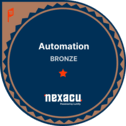
Nexacu Automation Bronze badge
Foundation

Bronze Level

Recognises the first stage of capability in a badge journey. This level helps signal foundational knowledge, terminology and confidence with core tasks.

  • Builds confidence with essential concepts.
  • Supports early-stage capability development.
  • Creates a visible first milestone in the learning journey.
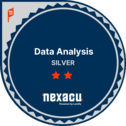
Nexacu Data Analysis Silver badge
Applied Skills

Silver Level

Recognises applied skills across a structured course series. This level helps show that a learner can apply concepts to more complex workplace tasks.

  • Signals deeper practical knowledge.
  • Supports workplace problem-solving capability.
  • Shows progression beyond introductory learning.
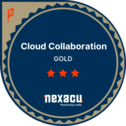
Nexacu Cloud Collaboration Gold badge
Advanced Mastery

Gold Level

Recognises advanced learning progress within an eligible badge pathway. This level helps demonstrate commitment to capability growth and higher-level proficiency.

  • Highlights advanced learning achievement.
  • Supports professional profile building.
  • Demonstrates a strong commitment to upskilling.

About Credly

Credly helps learners share verified achievements.

Credly allows learners to claim, manage and share digital credentials. Nexacu series badges are awarded to eligible students who complete the required courses in a badge journey.

Once claimed, badges can be shared on LinkedIn and other professional profiles, giving learners a more visible way to show continued development and verified skills.

How It Works

A simple badge process through the Student Portal and Credly.

Eligible badge journeys are pre-populated in your Nexacu Student Portal. Once you complete the required courses, you can claim your badge through Credly.

Enrol in Training

Select badge-eligible Nexacu courses or learning pathways and complete your enrolment.

Track Your Journey

Log in to the Student Portal to see eligible badge journeys and your progress.

Complete Courses

Attend and complete the courses required for your selected badge series.

Claim & Share

Click through to Credly, claim your badge and share it on LinkedIn or professional profiles.

Student Portal Journey

Track your badge progress in the Nexacu Student Portal.

Your eligible badge journeys appear in the Student Portal. The journey view helps you see which courses you have completed, what remains, and when a Credly badge can be claimed.

Once all required courses in a badge series are completed, use the portal to click through to Credly and claim your verified digital credential.

Why Earn a Badge?

Verified badges make learning visible.

Digital badges provide proof of learning that can be shared beyond the classroom. They help students communicate capability, build a professional profile and show commitment to continued development.

For employers, badges help make skills easier to identify, verify and recognise across teams.

Students & Employers

Built for individual career growth and organisational capability.

Nexacu digital badges support both sides of workplace learning: students can prove what they have achieved, while employers can identify verified capability more easily.

Benefits for Students

Digital badges help learners communicate drive, initiative and practical capability. They provide evidence that can be displayed on LinkedIn, professional profiles and internal career development records.

  • Build a stronger professional profile.
  • Signal verified learning achievements.
  • Show commitment to continued upskilling.
  • Support career pathways and employability.

Benefits for Employers

Digital badges help employers make better-informed talent decisions by improving visibility of skills, training completion and professional development across teams.

  • Recognise verified skills across the workforce.
  • Support learning and development tracking.
  • Create a culture of recognition and growth.
  • Help with internal capability and compliance visibility.

Trusted Nationwide

Trusted by leading organisations across Australia and New Zealand.

Nexacu supports teams across government, corporate and professional sectors with practical digital skills training and recognised learning outcomes.

400+ Companies supported
1.3K+ Businesses trust Nexacu
80K+ Students trained
9 Countries reached
Suncorp logo
BMW logo
Virgin Australia logo
Origin logo
Allianz logo
Australia Post logo
Santos logo
Your Financial Wellness logo
University of Sydney logo
Lendlease logo

Badge Journey FAQs

Common questions about Nexacu digital badges.

These answers explain how badges are earned, claimed and shared through the Nexacu Student Portal and Credly.

What are Nexacu digital badges?

Nexacu digital badges are Credly-issued credentials that recognise eligible students who complete structured learning journeys across selected Nexacu course series.

How do I claim a Nexacu digital badge?

Eligible badge journeys are shown in the Nexacu Student Portal. Once the required courses are complete, students can click through to Credly, create or sign in to a Credly account, and claim their badge.

Can I add my badge to LinkedIn?

Yes. Once accepted in Credly, a Nexacu digital badge can be shared to LinkedIn and other professional profiles.

What badge levels are available?

Nexacu badge journeys may include Bronze, Silver and Gold levels, representing progression from foundation capability to applied skill and advanced mastery.

Are all courses badge eligible?

Badge eligibility depends on the course pathway and badge series. The Student Portal shows eligible badge journeys and progress for each student.

Why do employers value digital badges?

Digital badges help employers see verified evidence of completed learning, capability development and commitment to upskilling.

Start Your Badge Journey

Build your skills and claim verified credentials.

Explore Nexacu courses, track your eligible learning journeys in the Student Portal and claim Credly-issued badges as you complete your pathway.

Trusted Nationwide by Leading Organisations

at Nexacu, we're proud to be the trusted training partner for hundreds of leading organisations accross Australia and New Zealand. From government departments to top corporates, we help teams upskill and succeed everyday

  • 400+ companies rely on Nexacu for team training
  • Trusted by federal, state, and local government agencies
  • Delivering training across 9 countries

Why Nexacu?

Books Icon

Step by Step Courseware

Custom workbook included with a step by step exercises

Facility Image 2
Facility Image 3
Facility Image 1

Refresh Icon

Free Refresher

Resit your course for free within 6 Months

More than 1,300 Business trust Nexacu

Trusted by Business

Procured by Government

Procured by Goverment

Reviews Not Found

Valued by Individuals