 Australia
 New Zealand
 Singapore
 Hong Kong
 Malaysia
 Philippines
 Thailand
 Indonesia

Modern Business Intelligence
In today’s era, business operations and decisions are based on facts, data, and reports. All the information collected helps create a foundation for future action plans. However, business owners collect data from different resources, including spreadsheets, printed handouts, charts, and emails. Managing and using all these data sources becomes challenging, especially when you need specific information.
That’s when Power BI comes into the picture. Power BI is a set of software services, applications, and connections that work together to transform different data sources into meaningful, visually engaging, and actionable insights. Your data might be in the form of an Excel spreadsheet or a combination of cloud-based and on-premises database systems. Microsoft Power BI makes it simple to connect to your data sources, visualize and find what’s essential, and share it with anyone.
Power BI makes your job quicker while also making your decisions more effective. All of the data is transformed into charts and graphs that visualize your data. Humans are visual thinkers and learners - colourful and appealing images rather than going through endless lists or tables of numbers and text is a much more effective way for people to process information.
To access these benefits, download the Power BI service and open it in a browser or on a mobile device. Dashboards will generally auto-update, so you and your colleagues are always working with the most up-to-date information. Nevertheless, before your business can reap any benefit of Power BI, you need to create an account.
How do I Create a Power BI Account?
A Power BI account can be created in one of two ways. The first is when a company buys Power BI licences for its staff. The second occurs when people sign up for free trials or personal licences. In this article, we assume the first situation.
What Are Different Types Of Licences?
In short, licences are required for all users of Power BI. What you can do in Power BI is dictated by the kind of licence you have. The amount of access allowed by your licence is determined by whether the workspace being accessed is a Premium workspace or not.
Each Power BI service user has a free licence, a Pro licence, or a Premium per-user licence. If you’re a Power BI business user, you’re most likely utilizing a free licence controlled by your Power BI admin.
It is also noteworthy that it is possible to hold many Power Bi licences at the same time. The service always provides you with an experience equivalent to the most permissive licence you presently have.
What Licence Do You Need?
What type of Power Bi licence you should purchase solely depends on your needs. As already stated, if you are a business entity or worker, your needs will likely be more; thus, a Pro or Premium per-user licence will be ideal.
Additionally, the premium is an organizational subscription that offers a new method to store content in a virtual container known as a capacity. Anyone with access, whether inside or outside your business, can see content saved in Premium capacity without obtaining individual Power BI Pro or Premium per-user licences.
If you already have a licence but do not know at what level, you can click on your profile picture to see your account information. Select “view account” to get more information about your account.
Downloading Power BI
Power BI can be used in two ways: Power BI Desktop and Power BI Service (web-based version). Again, which method you choose depends on the business operations and results to accomplish.
Should You Download Power BI Desktop?
Desktop is a comprehensive data analysis and report generation tool for connecting, transforming, visualizing, and analyzing your data. It features the Query Editor, which allows you to connect to various data sources and integrate them (also known as modelling) into a data model. Then, based on that data model, you create a report. Reports may be shared directly with others or published to the Power BI service.
So, if you aim to transform, shape, and model different data sources and use visual reports, you should consider downloading the desktop version.
How To Download Power BI Desktop?
Power BI Desktop is available for free download. You have two options for obtaining a Power BI Desktop.
- Install via the Microsoft Store as an app.
- Direct download as an executable, which you download and install on your computer.
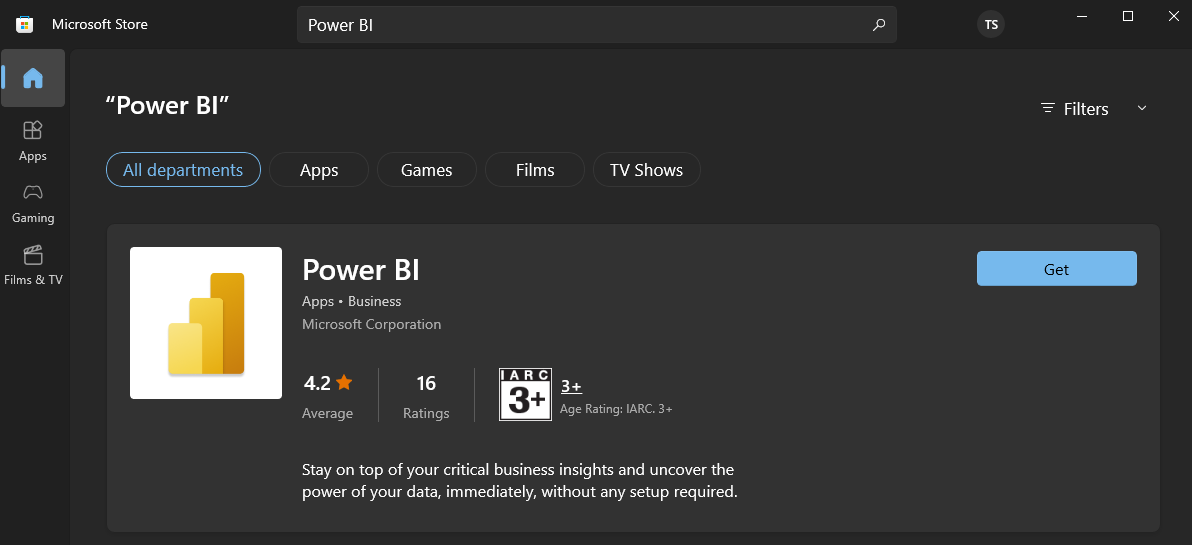
In either of the methods, you will automatically install the most recent version of Power BI Desktop.
How To Login Power BI?
Power Bi login is quite easy. Follow the steps given below to get started!
Step 1: Launch the Power BI service.
- If you got an email from a colleague that included a link to a dashboard or report, click the “Open this report” or “Open this dashboard” link.
- Otherwise, open your preferred browser and put “app.powerbi.com” into the address bar.
Step 2: Add your email address
When you login in for the first time, Microsoft asks whether you already have a Microsoft 365 account. Choose SIGN IN if you already have an account.
Please enter your password. This is the password for your Microsoft 365 account. It’s the same email address and password you use for other Microsoft applications like Outlook and Office. Depending on your account's configuration, you may also be asked to input a code delivered to your email or mobile device.
Your global administrator may occasionally assign you a Power Bi licence and send you an email with this information. Look for a welcome email in your inbox and follow the steps to sign in for the first time. Sign in with the same email address you used to register.
Step 3: Read the terms and conditions.
Read the terms and conditions, and if you agree, check the box and click Start.
Step 4: Check your home landing page
Power BI displays your home landing page on your first visit. You’ll see all of the stuff you have the authorization to utilize on Home. There may not be much content initially, but that will change as you use Power BI with your colleagues.
How To Troubleshoot Power BI Sign-Up Issue?
- If your Power BI licence is not pro, Sign in with the email address you used to sign up for Power BI.
- Some users use Power BI with several accounts. If this is the case, you will be requested to choose an account from a list when you sign in.
We offer Power BI training so that you can make the most of your data. Courses range from beginner to DAX and are offered remotely.
























