 Australia
 New Zealand
 Singapore
 Hong Kong
 Malaysia
 Philippines
 Thailand
 Indonesia

Learn by examples
You know the saying "imitation is the greatest form of flattery", well it's also a great way to boost your skills.
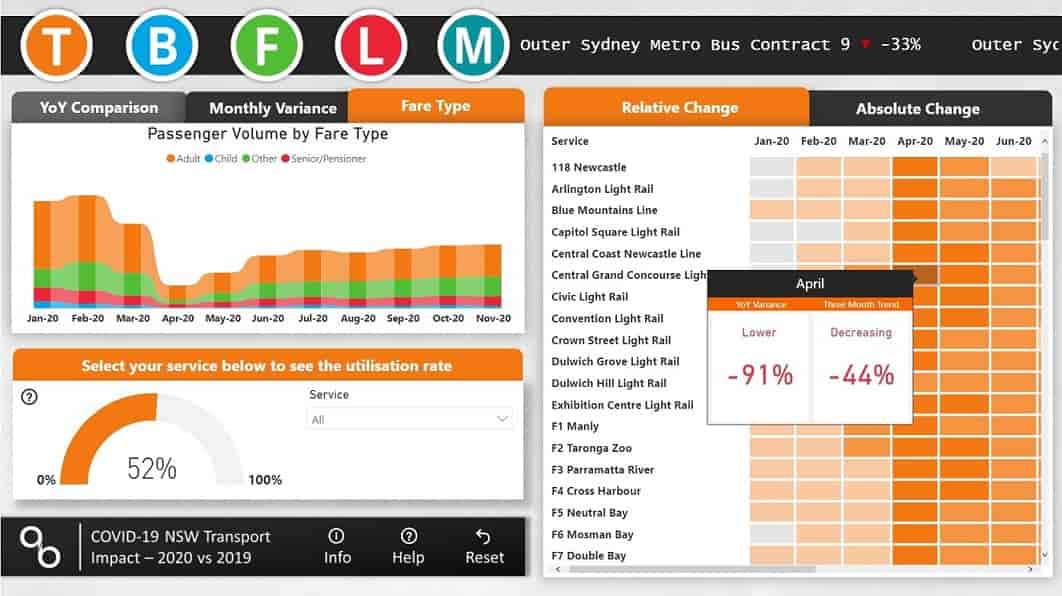
The Microsoft Power BI community Data Stories Gallery is packed full of innovative Power BI creations. From the COVID-19 impact on NSW Transport to building your dream AFL team, there are many creative Power BI users and use-cases that you can learn from. Many of the report creators share there tips and many also provide free downloads of the PBIX files so you can pull the inner workings apart.

Teach someone how to use it
One of the simplest ways to increase your understanding about something is to teach someone else. The See, Do, Teach approach to learning is very effective at building your skills in any area.
Whether it's how to use the Power BI mobile app, create a visual or the concepts of DAX, teaching someone a new concept forces you to understand it better yourself.
Just like the popular Einstein quote says: If you can't explain it simply, you don't understand it well enough.
Listen to the experts
The Power BI universe is growing everyday and it's hard to keep up with all of the new updates, features, use cases and creative work-arounds by yourself.
There are many Power BI experts out there and the Power BI community is full of amazingly innovative and generous individuals. Whether you have a few minutes or a couple of hours to spare, there is a podcast or YouTube video for you.
We recommend that you check out the Guy in a cube YouTube channel, sqlbi's blogs or the BIFocal podcast.
Attend a Power BI user group
Before Covid-19, we would gather in an office, huddle of boxes of Pizza and share stories about Power BI at our local user group. In the new normal, we can join via Zoom and Microsoft Teams but still share our stories, use cases and creative solutions to problems.
There's a local Power BI user group in every Australian city. Plus because of the move to online user groups you can also join in user groups from across the world.
Here are our favourite Australian Power BI communities:
- Adelaide Power BI User Group
- Sydney Power BI User Group
- Canberra Microsoft Analytics & Power BI User Group
- Perth Modern Excel & Power BI User Group
- Perth Microsoft Data and Analytics User Group
- Queensland Power BI User Group
- Power BI Melbourne
And from around the globe:
- Belgium Power BI User Group
- Data, Insight and Power BI (New Zealand)
- Portland Power BI User Group
- London Power BI User Group
Become certified
There's no better way to show proof that you know something than to achieve a certification - great for your next resume update!
Microsoft offers one official Power BI certification, known as the Microsoft Certified: Data Analyst Associate. This is the gold medal for a Power BI user, currently no other certification exists that can demonstrate your Power BI skills as effectively. You can achieve this certification by passing the DA-100 exam: Analyzing Data with Microsoft Power BI.
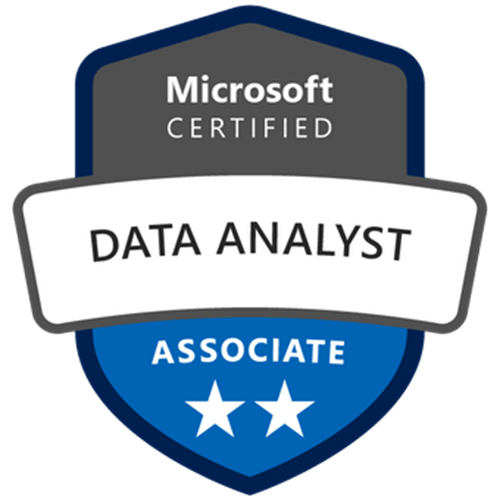
Recently at Nexacu we have released our Microsoft Power BI Certification program. For the price of our four Power BI course you will receive:
- Attendance to our four live, instructor-led Power BI courses. Booked for a time that suits you.
- Ongoing exam preparation and study support in our Microsoft Teams environment.
- Access to our supplementary exam study materials and guidance.
- Six months access to the official Microsoft DA-100 practice exam.
- Exam voucher for sitting the DA-100, plus a free re-sit (just in case!).
- Free access to a 90-day training environment with your very own Office 365 E5 and Power BI Pro licencing.
Achieving the certification isn't an easy task, but being part of our program give you access to the support and resources that will make it a whole lot easier!
Learn from the experts
Work and life are hectic, trying to set aside an hour here or there to complete self-paced learning can be difficult. Spending a full-day learning with the guidance of an expert Microsoft Certified Trainer is one of the best investments you can make in building your skills and capability.
Our trainers at Nexacu are learning and development professionals who specialise in helping you achieve your workplace productivity goals. Whether you're brand new to Power BI or starting to grapple with the complexities of DAX we have a range of courses.
With training venues in most capital cities and all courses open to remote attendees, there is an option that will suit everyone. If you are looking to train your team or entire workforce we can also customise workplace training to your need.
Learn a complementary skill
While there is a lot to learn within the Microsoft Power BI environment, mastering other complimentary skills can also help you take your Power BI skills to the next level.
If you want to increase skills in databases or data wrangling consider upskilling in SQL or learn to use Azure Data Factory.
If you are looking to boost your Data Analysis skills consider learning R or Python, not only can you use these programming languages within Power BI visuals but you can also undertake advanced data analysis, data wrangling, machine learning and process automation.
Microsoft Power BI sits within the Power Platform integrating easily with other applications such as Power Apps, Power Automate, Power Virtual Agents and the Dataverse. Learning how to automate and act on your data insights can boost your Power BI solutions capability.
























