Recent Searches
Category

Microsoft Power BI

Category

Microsoft Copilot Courses

Category

AI for Business

Category

Microsoft Windows 11 Courses

Category

Microsoft 365

Category

Microsoft Excel

Category

Excel Specialist

Category

Microsoft Project

Category

R Programming

Category

Python

Category

Power Apps

Category

SQL

Category

SharePoint

Category

Microsoft Teams

Category

Power Automate

Category

Microsoft Visio

Category

Microsoft PowerPoint

Category

Microsoft Word

Category

Microsoft Outlook

Category

Adobe InDesign Courses

Category

Adobe Photoshop Courses

Category

Adobe Illustrator Courses

Category

Adobe Premiere Pro Training

Category

Adobe After Effects Training

Category

Adobe Acrobat Courses

Category

Adobe Captivate Training

Category

Adobe Animate Training

Category

Canva Courses

Category

HTML Courses

Category

WordPress

Category

Professional Development

Category

Microsoft Access

Category

Webinars

Course

Power BI Beginner

Course

Copilot for M365

Course

Windows 11 End User Course

Course

Excel Beginner

Course

Financial Modelling

Course

Project Beginner

Course

R Programming Beginner

Course

Python Beginner

Course

Power Apps Beginner

Course

SQL Beginner

Course

SharePoint Beginner

Course

Teams Essentials

Course

Visio Essentials

Course

PowerPoint Level 1

Course

Word Intermediate

Course

Word Beginner

Course

Word Advanced

Course

Microsoft Outlook Beginner to Intermediate

Course

InDesign Lite

Course

Photoshop Lite

Course

Illustrator Training Intro

Course

Premiere Training Intro

Course

After Effects Training Intro

Course

Acrobat Essentials

Course

Captivate Training

Course

Animate Training Intro

Course

Canva AI

Course

HTML Training Intro

Course

Achieving Leadership & Success

Course

Microsoft Access Essentials

Course

Copilot for M365 On Demand

Course

Power BI Intermediate

Course

Copilot for Word

Course

ChatGPT Beginner

Course

Microsoft 365 Beginner

Course

Excel Intermediate

Course

Analysis and Dashboards

Course

Project Intermediate

Course

R Programming Intermediate

Course

Python Intermediate

Course

Power Apps Intermediate

Course

SQL Intermediate

Course

SharePoint Intermediate

Course

PowerPoint Level 2

Course

InDesign Training Intro

Course

Photoshop Training Intro

Course

Acrobat Forms

Course

Anger Management & Negotiation Skills

Course

Copilot for M365 Live Online

Course

Power BI Advanced

Course

Copilot for Excel

Course

AI Prompting Fundamentals

Course

Microsoft 365 Intermediate

Course

Excel Advanced

Course

Excel VBA

Course

Project Advanced

Course

R Programming Advanced

Course

Python Advanced

Course

Power Apps Intermediate | Power Automate + Power BI Integration

Course

SharePoint Advanced (Site Owner)

Course

InDesign Training Advanced

Course

Assertiveness & Confidence

Course

Microsoft Access Advanced

Course

Power BI DAX

Course

Copilot for PowerPoint

Course

Excel Expert

Course

Machine Learning in R

Course

Power Apps Advanced

Course

SharePoint Advanced (Document Governance)

Course

Building Resilience

Course

Copilot for Outlook and Teams

Course

Coaching and Mentoring

Course

Illustrator Training Advanced

Course

Premiere Basics Training

Course

Advanced After Effects Training

Course

Canva Beginners

Course

WordPress Essentials

Course

Communications

Course

AI for Business Leaders and Managers

Course

Photoshop Training Advanced

Course

Advanced Premiere Training

Course

Canva Intermediate

Course

Communications & Quality Client Service Training

Course

InDesign Interactivity Training

Course

Canva Advanced

Course

Critical Thinking and Problem Solving

Course

InDesign Accessibility Training

Course

Cultural Diversity in the Workplace

Course

Microsoft Outlook Advanced

Course

Embracing Change

Course

SQL Advanced

Course

Growing Emotional Intelligence

Course

Planner Premium

Course

Minute Taking

Course

Excel Tables and Pivot Tables

Course

Power Automate Beginner

Course

Performance Management

Course

Data Transformation with Power Query

Course

Excel Macro Mastery

Course

Power Automate Intermediate

Course

Persuasion and Negotiation Skills

Course

Power BI Desktop Advanced Reporting

Course

Presentation Skills and Public Speaking

Course

Data Visualisation with Power BI Desktop

Course

Practical Project Management

Course

Respect, Equity and Diversity (RED)

Course

Resumé Writing and Interview Skills

Course

Stress Management

Course

Team Leadership, Management and Development

Course

Time Management Intensive

Course

Train the Trainer

Course

Write Effective Business Documents

Course

Dealing with Difficult People

Course

Managing Difficult Conversations

Course

Managing the Virtual Workplace

Course

Customer Service Training

Course

Technical Writing

Everything you need to know about our new eBooks

Hannah Pearson | Nov 18, 2021

Nexacu has recently made the switch from printed to digital materials. The change was long coming, and we were finally able to make the jump with the introduction of our student portal.

Why we transitioned to eBooks.

1. We wanted to do our bit for the environment. We've reduced the amount of resources and energy that are used for our manuals.

2. Postage is becoming unreliable and slow. Students undertaking our remote courses weren't receiving their manuals in a timely manner.

3. We are protecting our students from obsolescence of material. The applications our courses are based around are constantly updated making printed manuals outdated. Digital manuals mean students can access updated material for 2 years after the course.

4. Digital manuals allow us to protect our intellectual property. Not all training companies are committed to keeping their resources up-to-date as we are. The digital manual allows us to have control over what we have written, who has access to it, and where it goes. 

5. In a survey of our past students, we found many didn't even use the printed manual and they were simply collecting dust. The digital manual prevents the use of resources for a manual that won't even be used. 

6. By making our manuals digital, we encourage students to learn from our Microsoft Certified Trainers and not a book. What makes our training so effective is the knowledge of our industry leading trainers and the interaction they have with their students. Students lose out if they are concentrated on what the manual says and not what is taught by our trainers. 

7. An eBook is available any place at any time. If you need to refer to your manual at home or work but have left it elsewhere you will lose valuable time. A digital manual cannot be forgotten or lost.

Student Portal Materials

Our Course Materials are made up of 2 parts:

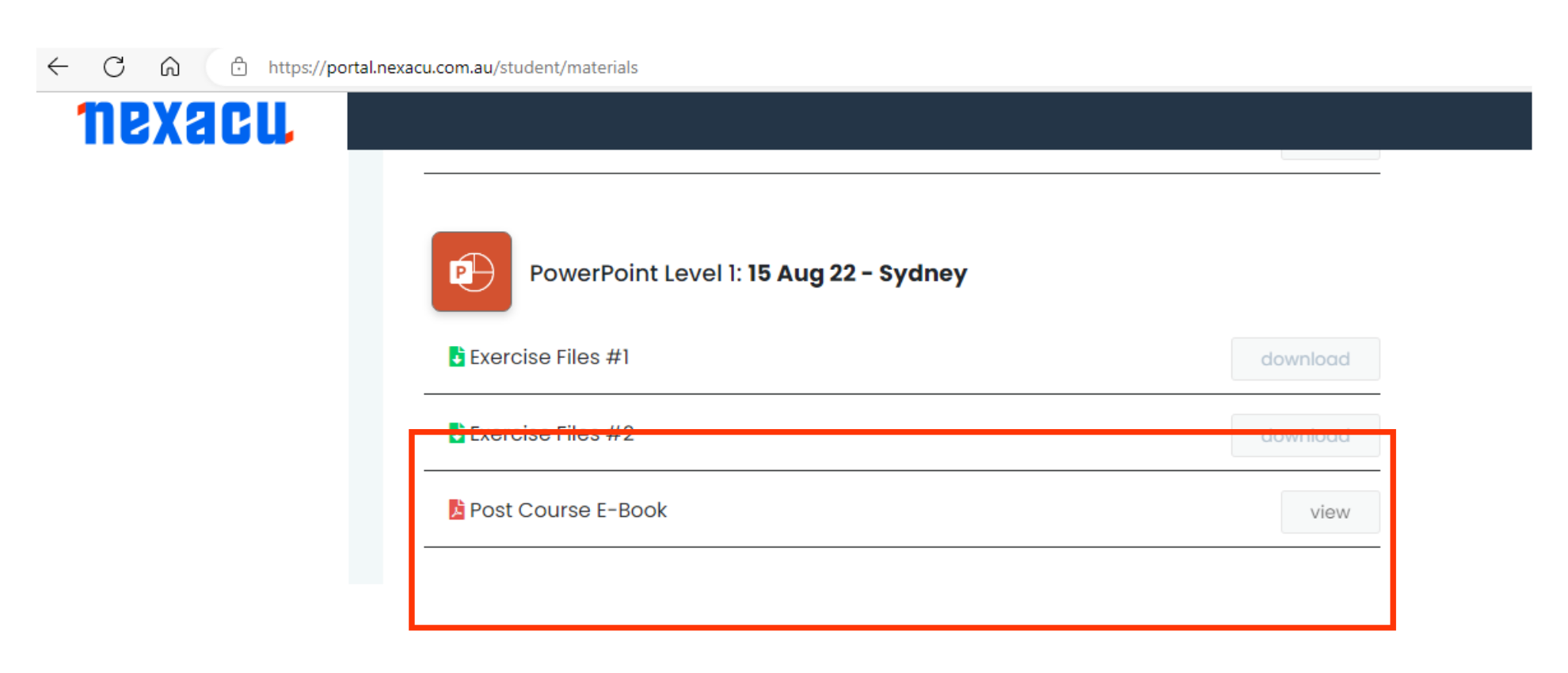
1. Exercise Files - these files contain sample data that the trainers will refer to on the day. 

2. eBook - Our eBooks are more detailed than our course guides and are available for 4 years after the student undertakes the course. eBooks can be viewed but are not downloadable or shareable. Within the eBook the table of contents and footer are hyperlinked enabling you to jump forward and back to your preferred preferred section of the eBook. When you hover your cursor over the table of contents, the sections will highlight yellow. Once you have reached the section you would like to view, click it. This will take you down to the page. 
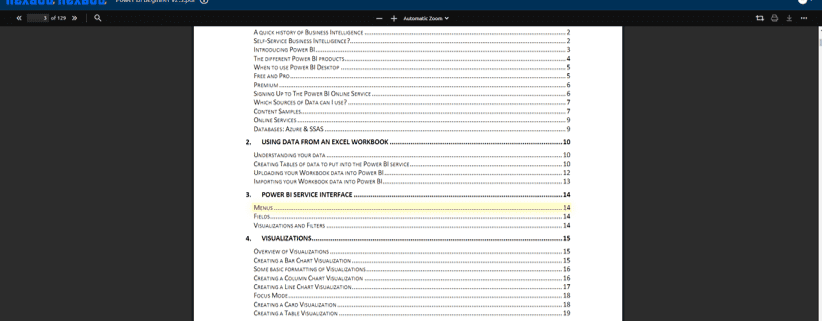
Nexacu eBook instruction


Nexacu eBook instruction


At the bottom of each page is a 'back to top' hyperlink which will take you back to the menu. 


You can also use the usual command/control f and use the built-in search function within your web browser. In the top left hand corner of the window, there is a search bar within the document reader. 



This will bring up every instance that the word or phrase you type into the search bar appears in the document. Use the arrows to navigate between the appearances: the reader will automatically start at the first appearance and go chronologically through the document.
  • The 'Highlight all' function will highlight every instance of a word. This is useful in large blocks of text where the word appears multiple times.
  • The 'Match case' function will only bring up instances where the case is exactly matched to what you typed. For example, if you only use lowercase letters, the search will not bring up any words with capitals (such as at the start of a sentence).
  • The 'Whole words' function will only return results when they are complete words that match the search exactly. For example if you look up a verb (e.g. populate) the search will only return populate, not any variations such as populated or populates. 

Nexacu eBook instruction


How to Access your eBook
The post-course eBooks are available through the Student Portal, once your final confirmation has been sent. 

Student Portal
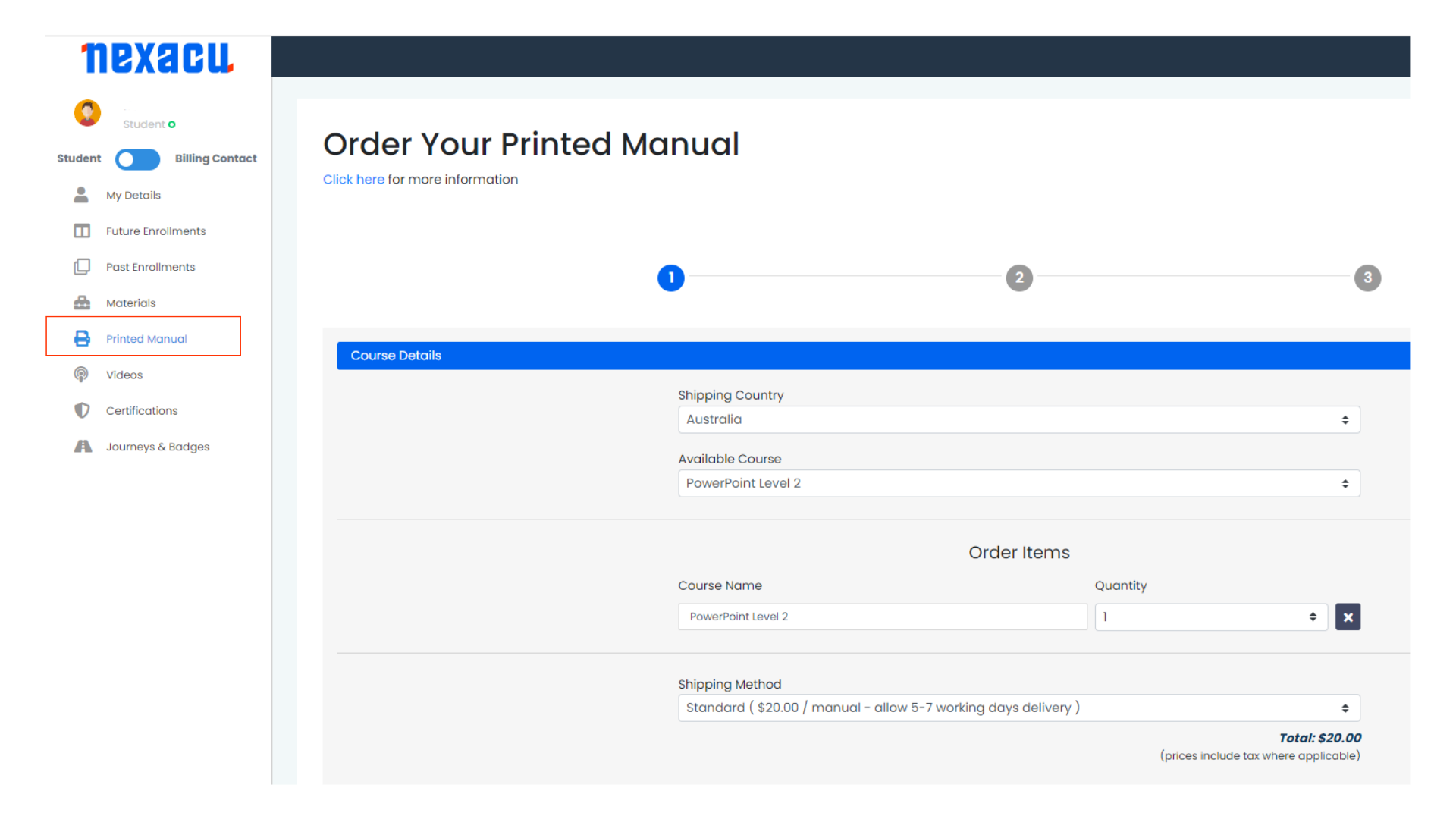
Still want a printed booklet?

If you would prefer a printed booklet, they are available from $30. Please complete the form in the Student Portal below. 
Trusted Nationwide by Leading Organisations

at Nexacu, we're proud to be the trusted training partner for hundreds of leading organisations accross Australia and New Zealand. From government departments to top corporates, we help teams upskill and succeed everyday

  • 400+ companies rely on Nexacu for team training
  • Trusted by federal, state, and local government agencies
  • Delivering training across 9 countries

Why Nexacu?

Books Icon

Step by Step Courseware

Custom workbook included with a step by step exercises

Facility Image 2
Facility Image 3
Facility Image 1

Refresh Icon

Free Refresher

Resit your course for free within 6 Months

More than 1,300 Business trust Nexacu

Trusted by Business

Procured by Government

Procured by Goverment

Reviews Not Found

Valued by Individuals