Recent Searches
Category

Microsoft Power BI

Category

Microsoft Copilot Courses

Category

AI for Business

Category

Microsoft Windows 11 Courses

Category

Microsoft 365

Category

Microsoft Excel

Category

Excel Specialist

Category

Microsoft Project

Category

R Programming

Category

Python

Category

Power Apps

Category

SQL

Category

SharePoint

Category

Microsoft Teams

Category

Power Automate

Category

Microsoft Visio

Category

Microsoft PowerPoint

Category

Microsoft Word

Category

Microsoft Outlook

Category

Adobe InDesign Courses

Category

Adobe Photoshop Courses

Category

Adobe Illustrator Courses

Category

Adobe Premiere Pro Training

Category

Adobe After Effects Training

Category

Adobe Acrobat Courses

Category

Adobe Captivate Training

Category

Adobe Animate Training

Category

Canva Courses

Category

HTML Courses

Category

WordPress

Category

Professional Development

Category

Microsoft Access

Category

Webinars

Course

Power BI Beginner

Course

Copilot for M365

Course

Windows 11 End User Course

Course

Excel Beginner

Course

Financial Modelling

Course

Project Beginner

Course

R Programming Beginner

Course

Python Beginner

Course

Power Apps Beginner

Course

SQL Beginner

Course

SharePoint Beginner

Course

Teams Essentials

Course

Visio Essentials

Course

PowerPoint Level 1

Course

Word Intermediate

Course

Word Beginner

Course

Word Advanced

Course

Microsoft Outlook Beginner to Intermediate

Course

InDesign Lite

Course

Photoshop Lite

Course

Illustrator Training Intro

Course

Premiere Training Intro

Course

After Effects Training Intro

Course

Acrobat Essentials

Course

Captivate Training

Course

Animate Training Intro

Course

Canva AI

Course

HTML Training Intro

Course

Achieving Leadership & Success

Course

Microsoft Access Essentials

Course

Copilot for M365 On Demand

Course

Power BI Intermediate

Course

Copilot for Word

Course

ChatGPT Beginner

Course

Microsoft 365 Beginner

Course

Excel Intermediate

Course

Analysis and Dashboards

Course

Project Intermediate

Course

R Programming Intermediate

Course

Python Intermediate

Course

Power Apps Intermediate

Course

SQL Intermediate

Course

SharePoint Intermediate

Course

PowerPoint Level 2

Course

InDesign Training Intro

Course

Photoshop Training Intro

Course

Acrobat Forms

Course

Anger Management & Negotiation Skills

Course

Copilot for M365 Live Online

Course

Power BI Advanced

Course

Copilot for Excel

Course

AI Prompting Fundamentals

Course

Microsoft 365 Intermediate

Course

Excel Advanced

Course

Excel VBA

Course

Project Advanced

Course

R Programming Advanced

Course

Python Advanced

Course

Power Apps Intermediate | Power Automate + Power BI Integration

Course

SharePoint Advanced (Site Owner)

Course

InDesign Training Advanced

Course

Assertiveness & Confidence

Course

Microsoft Access Advanced

Course

Power BI DAX

Course

Copilot for PowerPoint

Course

Excel Expert

Course

Machine Learning in R

Course

Power Apps Advanced

Course

SharePoint Advanced (Document Governance)

Course

Building Resilience

Course

Copilot for Outlook and Teams

Course

Coaching and Mentoring

Course

Illustrator Training Advanced

Course

Premiere Basics Training

Course

Advanced After Effects Training

Course

Canva Beginners

Course

WordPress Essentials

Course

Communications

Course

AI for Business Leaders and Managers

Course

Photoshop Training Advanced

Course

Advanced Premiere Training

Course

Canva Intermediate

Course

Communications & Quality Client Service Training

Course

InDesign Interactivity Training

Course

Canva Advanced

Course

Critical Thinking and Problem Solving

Course

InDesign Accessibility Training

Course

Cultural Diversity in the Workplace

Course

Microsoft Outlook Advanced

Course

Embracing Change

Course

SQL Advanced

Course

Growing Emotional Intelligence

Course

Planner Premium

Course

Minute Taking

Course

Excel Tables and Pivot Tables

Course

Power Automate Beginner

Course

Performance Management

Course

Data Transformation with Power Query

Course

Excel Macro Mastery

Course

Power Automate Intermediate

Course

Persuasion and Negotiation Skills

Course

Power BI Desktop Advanced Reporting

Course

Presentation Skills and Public Speaking

Course

Data Visualisation with Power BI Desktop

Course

Practical Project Management

Course

Respect, Equity and Diversity (RED)

Course

Resumé Writing and Interview Skills

Course

Stress Management

Course

Team Leadership, Management and Development

Course

Time Management Intensive

Course

Train the Trainer

Course

Write Effective Business Documents

Course

Dealing with Difficult People

Course

Managing Difficult Conversations

Course

Managing the Virtual Workplace

Course

Customer Service Training

Course

Technical Writing

Power BI; a comparison of two license options

| Mar 11, 2019
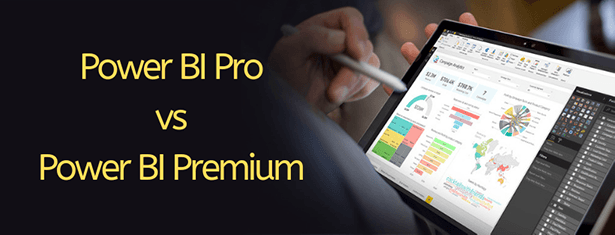
Power BI Pro vs Power BI Premium

A comparison of two license options

Choosing to implement a new software platform can be intimidating. We’ve decided to do a quick write up to help you understand the differences between the Power BI license options, so you can choose the best platform to suit both your needs and your customers’.

There are two paid licensing options for enterprise; Power BI Pro and Power BI Premium. Your organisational size and how you use Power BI will determine which option best suits your needs.

Power BI Pro

With Power BI Pro, users are licensed individually and pay monthly. They can collaborate, share and publish interactive reports and dashboards. Users can view and consume content shared by other users. Pro allows users to participate fully in the use of the program when it comes to content. As always, content is secure and can be connected to on-premise and cloud data sources. Users can setup subscriptions and alerts, and can also access content via desktop or mobile devices. Scheduled refreshes occur eight times a day per dataset. This is a great option when all departments are involved in an organisation’s data – everyone can share, publish and collaborate via the platform.

Limitations:

The drawback with Power BI Pro license stems from the fact that it uses a shared tenancy. With the Power BI Pro license, data sets are limited to 1GB each, and total storage limited to 10GB per user. Along with this, there is no incremental refresh or paginated report feature. These limitations are fine for many firms but if you have vast amounts of data or hundreds of viewer only users then Power BI Premium may be a better alternative.

Power BI Premium

Power BI Premium has been developed to address the changing needs of large enterprises as Power BI is growing in importance. The key difference with Premium license, is that the owner has dedicated capacity. Power BI Premium runs in isolation with dedicated hardware (single-tenancy). This facilitates higher data limits and data refreshes up to 48 times a day per dataset. The Premium license boasts a more consistent query performance, and paginated reports are also available. Users are charged monthly with an annual commitment required. Licensees also have the option to purchase Premium Capacity Nodes.

Power BI Premium allows reports and dashboards to be shared with a large audience of readers in their organisation in a cost effective way.

The Power BI Premium license suits large firms, where only a fraction of employees are actively engaging in creating content (Pro users) and the majority are only viewing the content (Premium licensees).

Check out this calculator provided by Microsoft to help you choose the most cost-effective Power BI licensing options for your organisation.

 
Power BI is a powerful tool: see Power BI course dates to find out when you can start getting what you need out of Power BI. 
 

References:

https://powerbi.microsoft.com/en-us/power-bi-premium/

https://powerbi.microsoft.com/en-us/blog/power-bi-pro-power-bi-premium-flexibility-to-choose-the-licensing-best-for-you-and-your-organization/

https://docs.microsoft.com/en-us/power-bi/service-features-license-type

Photo credits: Microsoft (Header Image)

Trusted Nationwide by Leading Organisations

at Nexacu, we're proud to be the trusted training partner for hundreds of leading organisations accross Australia and New Zealand. From government departments to top corporates, we help teams upskill and succeed everyday

  • 400+ companies rely on Nexacu for team training
  • Trusted by federal, state, and local government agencies
  • Delivering training across 9 countries

Why Nexacu?

Books Icon

Step by Step Courseware

Custom workbook included with a step by step exercises

Facility Image 2
Facility Image 3
Facility Image 1

Refresh Icon

Free Refresher

Resit your course for free within 6 Months

More than 1,300 Business trust Nexacu

Trusted by Business

Procured by Government

Procured by Goverment

Reviews Not Found

Valued by Individuals
















