
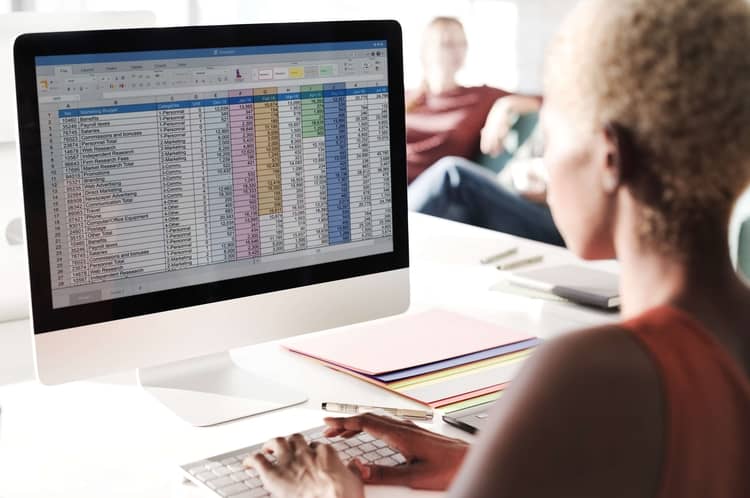
Why is it important to learn Microsoft Excel?
Data analysis has always driven decisions in business; this hasn’t changed in hundreds of years. What has changed is the sheer power of the data analysis tools at our disposal. The exponential rate at which technology has evolved over the past 40 years has fundamentally changed the way society functions.
Accordingly, technology skills are arguably one of the most important traits you need to succeed in the job market. While ‘proficient in Microsoft’ may have once been the pride of your resume, it is now a given. Being unable to operate in Microsoft is a red flag to employers.
Excel skills are required in many roles, especially in any industries where data is involved such as project management. The most widely sought-after excel skills are those that allow you to complete data analysis. But all skills - both basic and advanced – will be an asset in the workplace. This is particularly true when Excel is paired with Microsoft’s business intelligence tool Power BI, which is continually gaining in popularity.
What is the best way to learn Excel for data analysis?
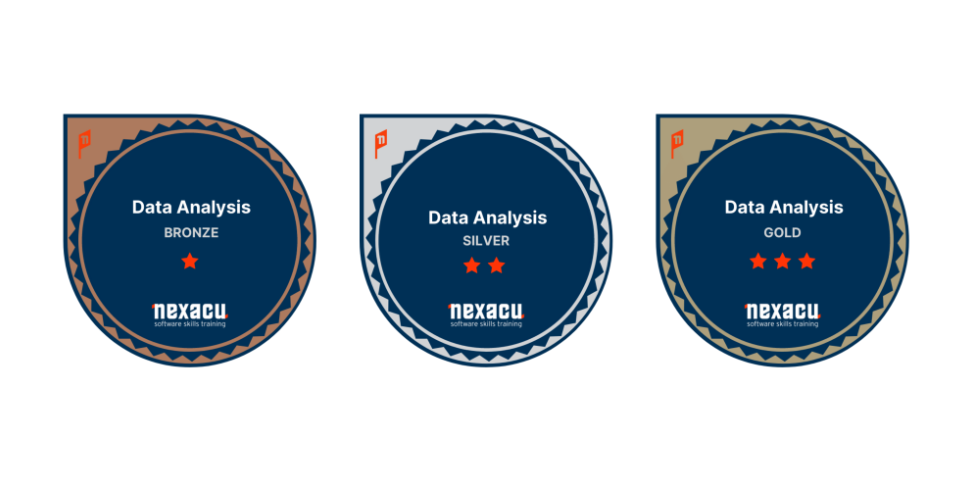
Excel’s most powerful use is as a data analysis tool. To learn how to use excel for data analysis, we recommend attending an instructor-led course. We run an Analysis and Dashboards course that gets consistently high ratings. Nexacu has also recently introduced the data analysis badge: at the completion of a specific combination of our Excel and Power BI courses, you will be endowed with the skills needed for informed data analysis as well as a digital badge to share your achievement.
The course also comes with access to the extensive eBook, updated often with the latest upgrades. If you’re in a pinch, YouTube has a depth of knowledge that can help with most queries.
In how many days can I learn Excel and data analysis?
How long it takes for you to learn excel is completely dependent on how far into the application you want to go. Our suite of Excel offerings includes 7 courses – beginner, intermediate, advanced, expert, financial modelling, VBA and macros, and analysis and dashboards. The average excel user will already operate above a beginner level due to exposure to excel through work or school.
Our advanced excel course deals most directly with data analysis and links heavily with our Power BI courses.
Realistically, it is hard to quantify how long it would take someone to learn excel and data analysis as it will vary from person to person based on existing skill level and how dedicated you are to retaining the skills you learn.
If you assume a week between courses and the completion of all seven excel courses Nexacu offers, you could theoretically be well on your way in under two months.
What is the best way to learn Excel online?
Online courses have become especially popular in the past few years. There are many ways to learn excel online:
- Self-guided learning
- Seminars without interaction
- Video series
We are a little biased, but the best way to learn excel online is through instructor led courses. Our online excel courses run in Australia get consistently high reviews. You will be taken step by step through the spreadsheet program, and cover topics such as pivot tables, data visualisation, and data entry.
The most important thing about online learning is your commitment – you only get out of excel training what you put in!
What is the best online Excel certification course in 2021?
A certification is the best way to prove your proficiency in excel. Certifications can be broadly split into two categories: Microsoft and non-Microsoft.
Microsoft certifications come from the creators of excel themselves and are widely considered the most rigorous and prestigious excel certification. Nexacu offers MO-200 and MO-201 Microsoft certification pathways that take you from the start to the end of excel content. However, Microsoft certifications are time consuming and expensive: taking the exam costs more than AUD $130 and covers extensive content.
Non-Microsoft certifications are generally offered by other institutions, for example universities or training companies. While they are less prestigious, they will still show competency and can be more specific than Microsoft certifications. Nexacu offers several alternative certification pathways.
For example, the data visualisation badge combines our Excel and Power BI offerings to gift you the skills needed for impressive data visualisation. At the completion of the courses, you will receive a Credly certification to show off your new skills.
What are the best sites to learn Microsoft Excel for free in 2020?
The internet is a great tool for learning anything and many tutorials and articles could help you expand your knowledge. YouTube costs $0 and will cover pretty much anything. The Microsoft website also provides free written walkthroughs for most actions in its applications.
While these resources are great for brushing up or learning one skill, learning entirely through unstructured and unsupervised work can lead to gaps in knowledge. Therefore, we recommend our courses: you are able to ask questions as you learn to ensure that you understand fully and are operating under best practice.
To get you started in Excel, we asked some of our knowledgeable trainers what they recommended new Excel users try out:
Ken: “When I teach excel functions I always show students how to get help on new functions by using the Function library in the Formulas tab. I think it empowers them to start thinking for themselves.”
Jason C: "Learning Defined Names makes many of your formulas easier to write, easier to read, easier to edit and gives you a list of bookmarks for your workbooks. Absolute referencing and mixed references are useful to understand, but when your excel starts getting complicated, a pain to use. Defined Names all the way...
Flash fill has given me the most consistent jaw-dropping moment in Beginner's classes over the years. When you show students how to see different sheets from the same workbook side by side without copying the file, some have said that will change how they work everyday."
Michael: "The Catch Up button is for keeping track of changes and comments. It's supposed to show you what's being going on in a spreadsheet since you looked last. Can be also found in Word online."
Stuart: “For anyone using pivots, I find this piece of advice gets warmly received: Whenever you create a pivot always go to PivotTableAnalyse > Pivot Table Options > Options and 'untick' the Autofit column width on update. Users often find that their columns get reset whenever they re-open their pivot. Those who have experienced this get their "ah ha" moment when they see this configuration setting.”
To learn more, join one of our Excel courses, all of which are available online through our remote learning option.
































