

Good Emails are a Corporate Must
Emails are crucial in the corporate setting, and email etiquette is a must-learn across all industries. In line with this, email users are projected to hit 4.73 billion worldwide in 2026. It wouldn't be much of a surprise if emails become the top means of communication among businesses.
This is why excellent email writing will instantly improve your credibility among colleagues and team leaders. But since emails are usually so eloquent and carry an assertive tone, many people struggle to craft effective ones.
The secret to effective email writing is to start with a suitable greeting, take some time to think of an impactful subject line and make sure your email body is clear, concise, and devoid of any grammatical errors or poor sentence structures. Also, diligently addressing the concern is an art form unmastered by many.
If you, too, are a student, worker, job searcher, or anyone who suffers from post-send anxiety due to a lack of confidence in their email-writing skills, this article is for you. It will reveal 9 secrets from the pros about how to write an effective email.
Email basics
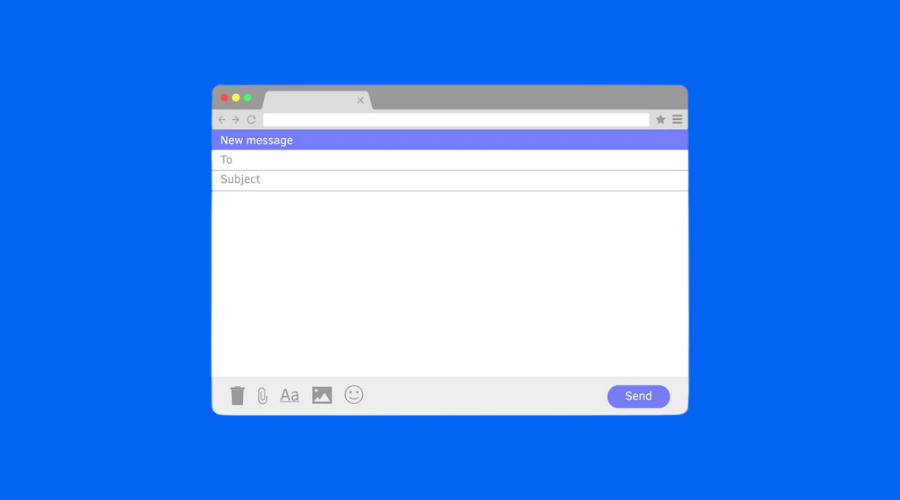
Before starting with how to write a good email, let’s learn about the essential components that make up an email.
These are:
- Subject line
- Introduction
- Body
- Closing
All kinds of emails have these essential parts. To communicate through emails effectively and efficiently, you must perfect each of them to hit the right chord with your objectives.
Here’s a brief definition of them:
Subject line
When your prospect receives your email, the subject line will be the first thing they read. It is the first sentence that appears along with the notification of an incoming email and is pivotal in making a solid first impression.
Most copywriters and professionals who rely on cold-pitching deem the subject line to be the most critical aspect of an email.
Introduction
How you open an email is crucial in setting the tone of your entire draft. Include a suitable greeting and a short introduction of yourself if you are contacting someone for the first time.
Body
The body is where you communicate your motive behind sending the email. Make sure it is crisp, clear, and concise. We will discuss how to write a formal email body ahead.
Closing
A professional closing phrase, such as “thank you” or “best regards” works in most instances. Otherwise, you can tailor your signing-off sentence according to your relationship with the receiver and the level of professionalism you are after.
How do I write a good email?
Whether you are a salesperson going after leads or an employee looking to set up a meeting with your manager, writing a compelling email is necessary.
Here are a few tips that will help you in writing effective emails:
1. Think about what you want to say

Before picking up your laptop and typing down incoherent sentences, ensure that you have a clear picture of what you want to convey through your email. Setting clear goals helps you in crafting a more precise draft.
Go into the nitty-gritty of your concern, and come up with the most concise and explicit way to address it. Also, avoid muddling different ideas. Use one email thread for a single type of content only.
2. Don’t over-communicate – write concisely and clearly
It is crucial to keep your message short and precise. Avoid rambling on and on for pages when you could’ve conveyed your concerns in a single paragraph. Also, try to avoid redundancy. Repetitive words and sentences can kill the coherence of the email.
Statista’s report on daily emails worldwide shows that we are estimated to send and receive 333.2 billion emails in the coming years. Imagine all these emails being as long as Jane Austen’s novel. Who would have time to read them all?
Concise emails have a high chance that the prospect will read them thoroughly. However, if your emails are too long and consist of huge blocks of text, the reader may just skim through them, skipping vital information.
3. Use subject lines well
Subject lines have the power to make or break the entire email. Spend time developing an attention-grabbing subject line that prompts the reader to open your email and read it instantly.
A strong subject line will make a solid first impression even when you send emails to your colleagues or boss. You can also use them to deliver your goals for the email concisely.
Here’s an example of a poorly and appropriately written subject line:
Poor subject line: Urgent!
Appropriate subject line: Request for the work permit
4. Be polite
We write emails in a formal tone. But that shouldn’t mean being too assertive or sounding rude. Use polite terms such as “I request,” “may,” or “please” to make your email sound more professional.
You don’t want to come off as harsh in your professional emails. It will ruin your image and decrease the chances of achieving your goals.
Here’s an example of a rude-sounding and politely written email line:
Rude: I need 15 days of leave.
Polite: May I get 15 days of leave?
5. Check your tone
Sounding too friendly can be just as bad as sounding too rude. Professional emails should follow a formal style tailored according to your business terms with the prospect.
Avoid cringe-worthy phrases like “dear client” or too many exclamatory words and sentences. Stick to a formal tone appropriate to your situation.
6. Manage recipients
Is the email intended for all of your colleagues or a marketing manager? It is vital to manage your email recipients and address them appropriately.
If you send an email to a bunch of people, you can try ordering them alphabetically. It strips any feeling of bias among the recipients.
7. Avoid too many emojis or exclamation points
Too many emojis or exclamation marks strip your email off of its formal tone. You may add one or two to keep the style friendly and polite, but overusing is not recommended for professional emails.
Emojis and exclamatory phrases look good when you are chatting with a friend. But while conversing with your boss or a potential lead, overusing them may make you look immature or unserious.
8. Proofread and check who it is being sent to
Always check your email before hitting the send button to avoid post-send stress.
Better safe than sorry isn’t just a cliché. It is on-point when you send an email to the wrong person or type “dead” instead of “dear.”
9. Avoid email jargon
Some cliched email phrases sound too outdated or robotic. It is best to avoid them.
Some examples of email cliches no one wants to read now are:
- To whom it may concern
- I hope this email finds you in the best health
- Looking forward to hearing from you
- Please find attached
You can add a more personalised twist to your sign-offs or introductions instead by letting your creativity come into play, but use it sparingly.
FAQs
What are the 3 most important things for an email?
The essential components of an email are its strong subject line, appropriate greeting, and concise email body.
How can I make my email more assertive?
Try sticking to a formal tone and presenting your ideas confidently.
How do I start a professional email?
A few greetings that look professional are “Hi, [name]”, “Good day”, and “Hello [name].”
What is email etiquette in the workplace?
Workplace emails should be clear, on-point, formal, and definitive of the objectives they aim to achieve.
How do I improve my email writing skills?
Secure your professional future by attending a course to retain and improve your skills. Our Microsoft 365 courses will help you gain foundational knowledge about how apps such as Outlook work to streamline email and event management. You can start by booking our 365 Beginner in taking this first step toward employment security.
































