

As the workplace transformed in the post-pandemic scene, the dynamics of communication and collaboration have likewise undergone a significant shift.
This blog explores the integral role of Microsoft Teams in this significant shift in the workplace environment, focusing on its adaptation to hybrid work models and the future of workplace collaboration.
The Post-Pandemic Workplace Landscape
The post-pandemic workplace is witnessing a revolutionary transition towards hybrid work models. Organisations are embracing flexibility that allows employees to blend remote and in-office work. This shift not only redefines the physical workspace but also reshapes the way teams communicate and collaborate.
As the pandemic accelerated remote work adoption, Microsoft Teams emerged as a linchpin in promoting seamless communication and collaboration across dispersed teams. Its significance goes beyond being a temporary solution; it has become a cornerstone in the architecture of the modern workplace.
The hybrid work model introduces a new level of complexity to collaboration, requiring tools that seamlessly integrate remote and in-office workflows. Microsoft Teams addresses this challenge by providing a unified platform where employees can connect, share, and collaborate, regardless of their physical location.
The Hybrid Work Model
Going beyond a mere response to pandemic challenges, adopting a hybrid approach recognises and caters to the diverse needs of employees, providing flexibility in choosing their work locations.
This model not only fosters employee well-being but also serves as a strategic advantage in talent acquisition and retention, offering organisations a competitive edge in attracting skilled professionals who increasingly value workplace flexibility.
The benefits of the hybrid model extend beyond talent-focused advantages, including enhanced operational resilience and sustainability. By mitigating risks associated with centralised workspaces and reducing the employees’ commute and resource consumption, the hybrid model aligns with environmental responsibility.
Our strategic focus on technology integration and continuous skill development, central components of our training initiatives, ensures that organisations are not only responsive to current demands but also well-prepared for future workplace dynamics.
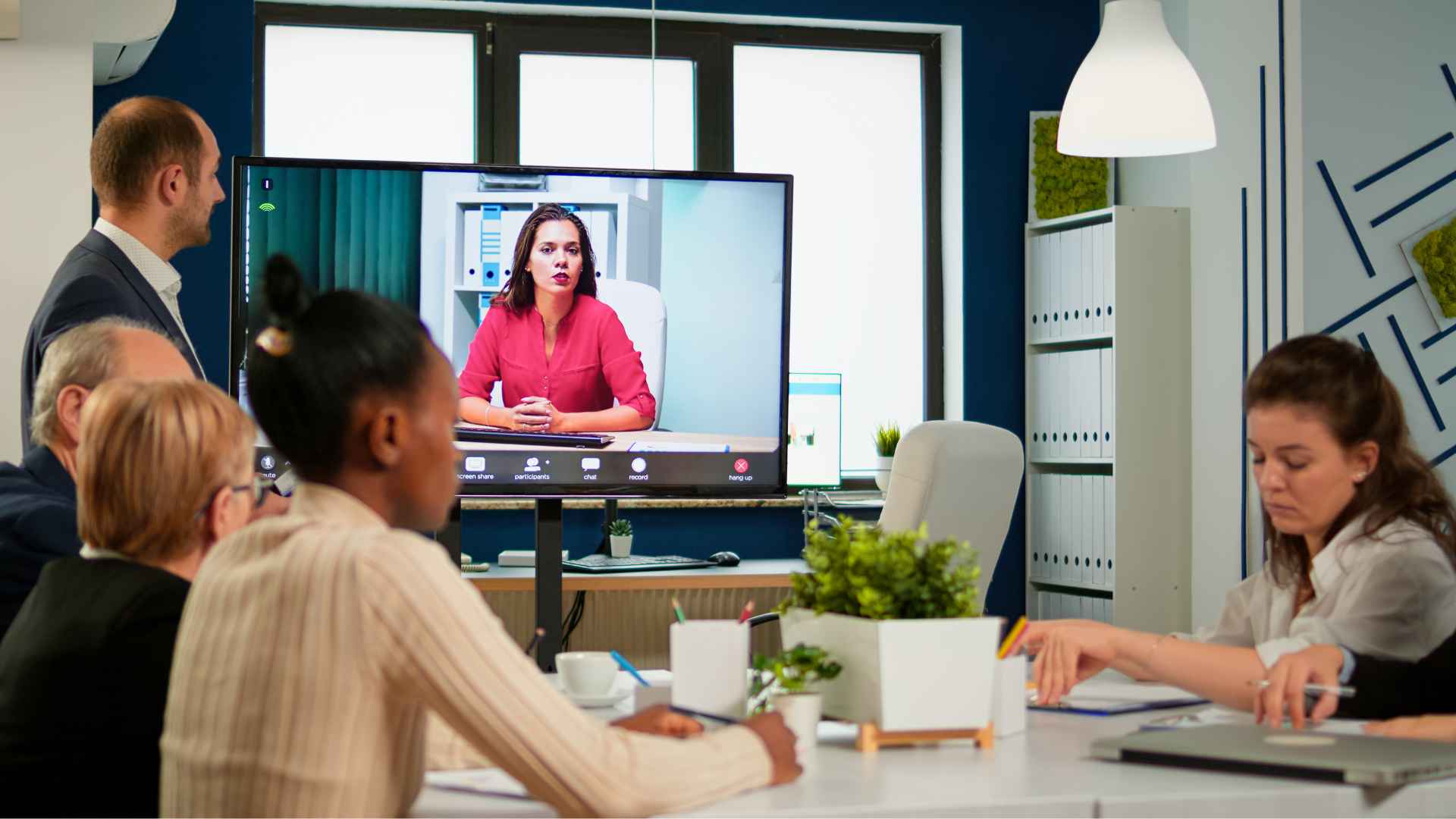
Microsoft Teams as a Collaborative Hub
Microsoft Teams has transcended its initial role as a communication tool to become a collaborative hub. With an intuitive interface and a suite of features, it acts as the connective tissue for both remote and in-office teams. The platform plays a central role in modern workplace communication, offering a unified space for chat, video conferencing, file sharing, and project management.
This collaborative hub is not merely a response to the challenges imposed by remote work. It's a proactive approach to fostering teamwork and maintaining a sense of connection in an increasingly digitalised work environment.
Teams is not just a tool; it's a catalyst for a cultural shift towards more agile, collaborative, and connected workplaces.
Organisations leveraging Teams as a collaborative hub report improved team cohesion, streamlined communication, and enhanced project management. With features like integrated calendars, channel-based communication, and real-time collaboration on documents, Teams has become the go-to solution for organisations navigating the complexities of modern work dynamics.
Enhanced Features for Hybrid Work
Recognising the demands of the hybrid work environment, Microsoft Teams has undergone substantial updates. These enhancements go beyond basic video conferencing, aiming to provide a comprehensive solution for organisations managing both in-office and remote collaboration.
Recent updates include features like virtual breakout rooms, improved integration with Microsoft 365 apps, and strengthened security measures. These updates empower users to collaborate better, irrespective of their physical location.
Organisations leveraging these features find that Teams not only ensure continuity in communication but also enhance productivity in the hybrid work landscape.
And that's not all - Teams serves as a centralised platform for various third-party integrations, allowing organisations to tailor the platform to their specific needs. From project management tools to customer relationship management (CRM) software, Teams creates a cohesive digital ecosystem, further improving workflows in the hybrid workplace.
Best Practices for Effective Collaboration
To fully harness the potential of Microsoft Teams, organisations must prioritise best practices for effective collaboration, especially in the context of remote and hybrid work environments. Here are key strategies:
Structured Channels:
- Objective: Enhance organisation and navigation within Teams.
- Implementation:
- Create channels based on projects, teams, or specific topics.
- Use clear naming conventions and descriptions for each channel.
- Categorise channels to facilitate organised discussions.
Document Collaboration Tools:
- Objective: Streamline document sharing and editing processes.
- Implementation:
- Utilise real-time co-authoring features for collaborative document editing.
- Integrate with SharePoint or OneDrive for seamless file sharing and storage.
- Encourage collaborative editing practices for efficient document creation and updates.
Fostering a Culture of Open Communication:
- Objective: Create an environment conducive to transparent communication.
- Implementation:
- Promote open communication through chat, video conferencing, and discussion threads.
- Encourage regular updates, idea sharing, and constructive feedback.
- Establish a culture where team members feel comfortable expressing thoughts and asking questions.
Real-world Case Studies:
- Objective: Provide tangible examples of successful collaboration within Teams.
- Implementation:
- Showcase organisations that have effectively navigated remote work challenges using Teams.
- Highlight specific challenges addressed and the measurable impact of Teams' capabilities.
- Emphasise how Teams become a catalyst for establishing a collaborative culture within organisations.

Microsoft Teams and Beyond
As the workplace undergoes continuous transformation, Microsoft Teams likewise adapts to the shifting dynamics of the modern workplace. Anticipated developments include:
Integration of AI and Machine Learning:
- Objective: Enhance automation and provide intelligent insights.
- Anticipated Developments:
- Automate routine tasks through AI and ML integration within Teams.
- Provide intelligent insights for informed decision-making.
- Improve user experience by leveraging machine learning algorithms.
Enhanced Collaboration Features:
- Objective: Provide innovative solutions beyond conventional communication.
- Anticipated Developments:
- Introduce features integrating emerging technologies such as augmented reality (AR) or virtual reality (VR).
- Continuously improve video conferencing, security protocols, and user interface to meet industry standards.
- Focus on adaptability and scalability for businesses of all sizes.
Strategic Response to Workforce Demands:
- Objective: Align Teams with the evolving needs of organisations.
- Anticipated Developments:
- Recognise Teams as not just a technological solution but a strategic response to workforce demands.
- Emphasise adaptability and scalability, ensuring Teams remains a versatile solution.
- Drive the evolution of workplace collaboration in response to the dynamic needs of the workforce.
Staying informed about these developments is essential for organisations seeking to future-proof their communication and collaboration strategies.
Microsoft Teams, with its commitment to innovation, is poised to play a pivotal role in shaping the future of work, offering solutions that align seamlessly with the changing needs of the workforce.
The anticipated integration of AI and machine learning within Teams underscores its strategic response to the changing demands of the modern workplace, further supporting its position as a transformative tool for collaboration.
MS Teams in the Post-Pandemic Landscape
Microsoft Teams has become an indispensable asset in the post-pandemic workplace, redefining how teams communicate and collaborate.
From navigating the challenges of hybrid work to fostering effective collaboration, Teams stands out as a versatile tool.
As we look ahead, embracing the evolving landscape of workplace tools is key. Encouraging readers to explore the transformative capabilities of Microsoft Teams is not just an invitation but a strategic move towards embracing the future of work.
What Now?
To supplement the insights provided in this blog, readers can further enhance their knowledge through Microsoft Teams training courses. Nexacu offers comprehensive courses, including essential Teams training, ensuring individuals and organisations can harness the full potential of this collaborative platform.
To explore these opportunities, visit our Microsoft Teams Training Courses and specifically the Teams Essentials Course.
Remember, as the workplace continues to evolve, staying informed and empowered with the right tools is paramount. Microsoft Teams, coupled with effective training, positions individuals and organisations for success in the dynamic landscape of the post-pandemic workplace.
































