

Power BI has quickly become a very popular skill set for experts who want to join the world of data assessment and business knowledge. If you are a newcomer checking career choices or a skilled expert hoping to move forward, being aware of the various Power BI work positions and career growth can assist you in moving along your career path effectively.
In this guide, we outline the Power BI career roadmap and key job roles and recommend Nexacu courses to help you gain the skills needed for success.
Why Choose a Career in Power BI?
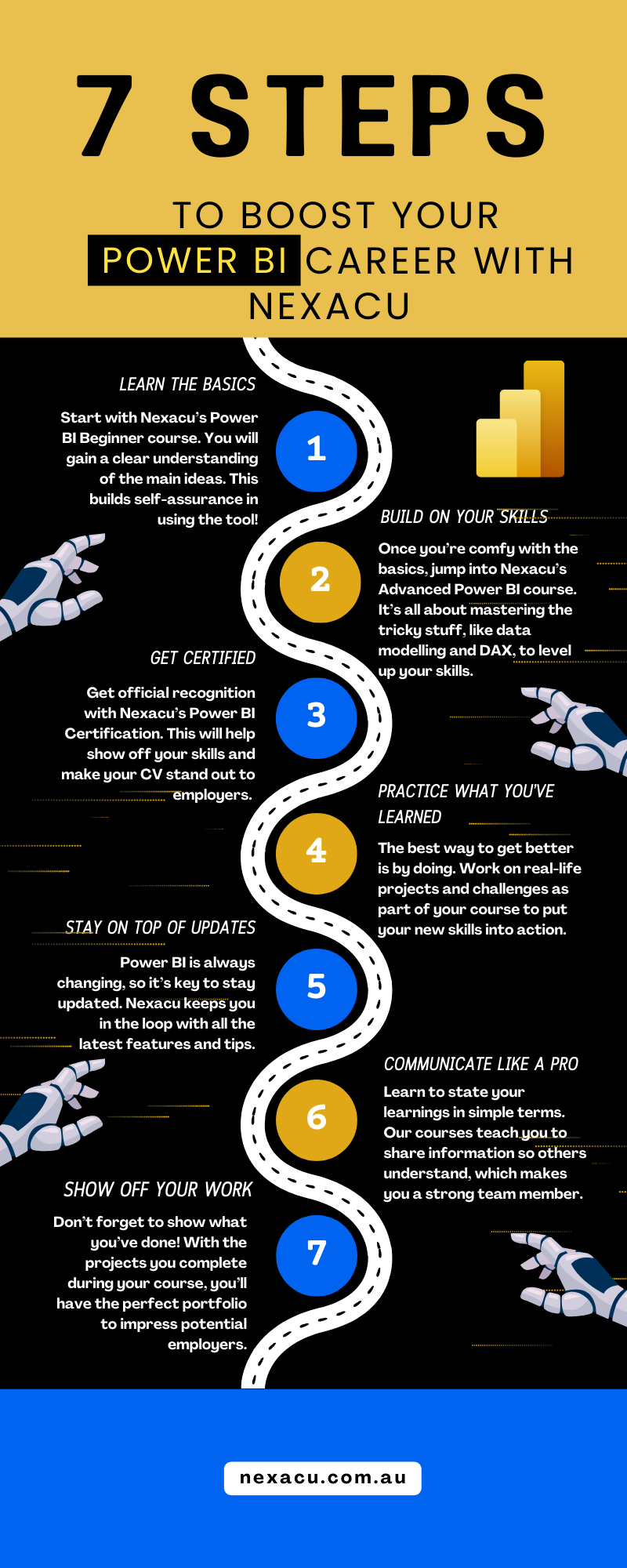
Power BI is a top business knowledge tool which allows groups to change raw data to informative visuals and reports. Businesses in all areas depend on Power BI to create fact-based calls, raising the need for capable experts.
Some key reasons to pursue a career in Power BI include:
-
High demand for Power BI professionals across industries
-
Competitive salaries for Power BI roles
-
Opportunities for career growth and advancement–
-
Integration with other Microsoft tools like Excel, Azure, and SQL Server
Power BI Career Levels and Job Roles
1. Entry-Level Roles
If you are just beginning with Power BI, your initial work will likely be in a lower or help position. These spots center on learning the basics, helping senior experts, and creating simple reports.
Job Titles:
-
Power BI Developer (Junior)
-
Business Intelligence Analyst (Entry-Level)
-
Data Analyst (Junior)
Skills Required:
-
Basic understanding of Power BI interface and report building
-
Data modelling and transformation using Power Query
-
Knowledge of DAX (Data Analysis Expressions) for calculations
-
Ability to work with Excel and SQL databases
Recommended Nexacu Courses:
2. Mid-Level Roles

As you acquire skills, you will be more responsible for hard data designs, better assessment, and business knowledge plans.
Job Titles:
-
Power BI Developer (Mid-Level)
-
Business Intelligence Analyst (Senior)
-
Data Visualisation Specialist
Skills Required:
-
Advanced DAX functions for calculations
-
Data modelling best practices
-
Data cleansing and transformation techniques
-
Creating interactive dashboards and reports for stakeholders
-
Understanding of cloud-based data sources such as Azure
Recommended Nexacu Courses:
3. Senior-Level Roles
At the senior level, experts lead plans and handle data control, in addition to working with Power BI and company systems.
Job Titles:
-
Senior Power BI Developer
-
Business Intelligence Consultant
-
Data Engineer
-
Analytics Manager
Skills Required:
-
Implementing enterprise-wide Power BI solutions
-
Data governance and security best practices
-
Integration with big data and cloud platforms
-
Performance optimisation of Power BI reports
-
Stakeholder management and strategic decision-making
Recommended Nexacu Courses:
4. Leadership and Specialised Roles
Power BI experts with years of experience often move into leadership roles or specialise in niche areas such as AI-driven analytics, data science, or cloud computing.
Job Titles:
-
Power BI Architect
-
Head of Business Intelligence
-
Chief Data Officer
-
Data Scientist (BI Specialisation)
Skills Required:
-
AI and machine learning integration with Power BI
-
Designing enterprise-wide BI solutions
-
Advanced data science techniques
-
Managing BI teams and large-scale projects
Recommended Nexacu Courses:
Key Industries Hiring Power BI Professionals
1. Finance and Banking
Financial institutions use Power BI to analyse market trends, track transactions, and manage risk. Data analysts in banking leverage Power BI to build dashboards for fraud detection, investment tracking, and financial forecasting.
2. Healthcare and Pharmaceuticals

Hospitals and healthcare providers use Power BI for patient data analysis, optimising operations, and improving treatment plans. Pharmaceutical companies also utilise Power BI for research, sales analytics, and supply chain management.
3. Retail and E-Commerce
Retailers rely on Power BI to analyse customer behavior, track sales performance, and optimise inventory management. E-commerce businesses use it for dynamic pricing strategies and customer segmentation.
4. Technology and Software Development
Tech companies utilise Power BI for internal business intelligence, performance monitoring, and software analytics. Many companies integrate Power BI with cloud solutions like Azure and SQL for deeper data insights.
5. Manufacturing and Logistics
Manufacturers leverage Power BI to monitor production efficiency, manage supply chains, and predict equipment maintenance needs. Logistics companies use it for route optimisation and demand forecasting.
How to Get Started with Your Power BI Career
Power BI is widely used across various industries, making it a versatile skill that can open doors to multiple career paths. Here are some key sectors actively hiring Power BI professionals:
1. Learn the Fundamentals
Begin with basic Power BI learning to be aware of report building, data design, and visual ways. The Power BI Beginner lesson is a good start.
2. Gain Hands-On Experience
Work on real-world projects, build dashboards, and practice Power BI skills with datasets. Try participating in data analytics challenges or internships.
3. Obtain Certifications
Microsoft offers certifications such as PL-300 (Microsoft Power BI Data Analyst) to validate your expertise. Nexacu courses align with certification requirements to help you prepare.
4. Network and Stay Updated

Join Power BI groups, go to online talks and follow what is new in the area to stay ahead in the field.
5. Advance Your Skills
As you progress, take advanced Power BI and related data analytics courses to enhance your expertise and open doors to senior roles.
Start Your Power BI Journey with Nexacu
Nexacu provides comprehensive Power BI courses to aid in upskilling at each career phase; this is true if you begin anew or seek a leadership role.
Check out our Power BI courses. Advance your Power BI career forward now!
































