
The Rise of AI Agents: What Microsoft Copilot Studio Means for Your Organisation
There is a shift happening inside the modern workplace, and it goes well beyond chatbots.
For years, artificial intelligence in business looked like suggested email replies, basic chatbot scripts, and predictive analytics dashboards that few people actually used. Those tools were useful, but they were mostly reactive. They waited for instructions, followed rigid rules, and struggled with anything outside their programming.
That era is ending. A new category of AI, commonly referred to as agentic AI, is rewriting the playbook. Microsoft is betting that Copilot Studio will be the platform that brings AI agents into every organisation running Microsoft 365.
TL;DR: Chatbots answer questions. AI agents can also take actions (with approvals and permissions), such as creating tickets, drafting documents, routing requests, and updating systems. Copilot Studio is Microsoft’s low-code agent builder for Microsoft 365, combining knowledge grounding, workflow actions, and deployment channels.
The big change is operational: agents help do the work, not only explain it.
1) From chatbots to AI agents: what changed?
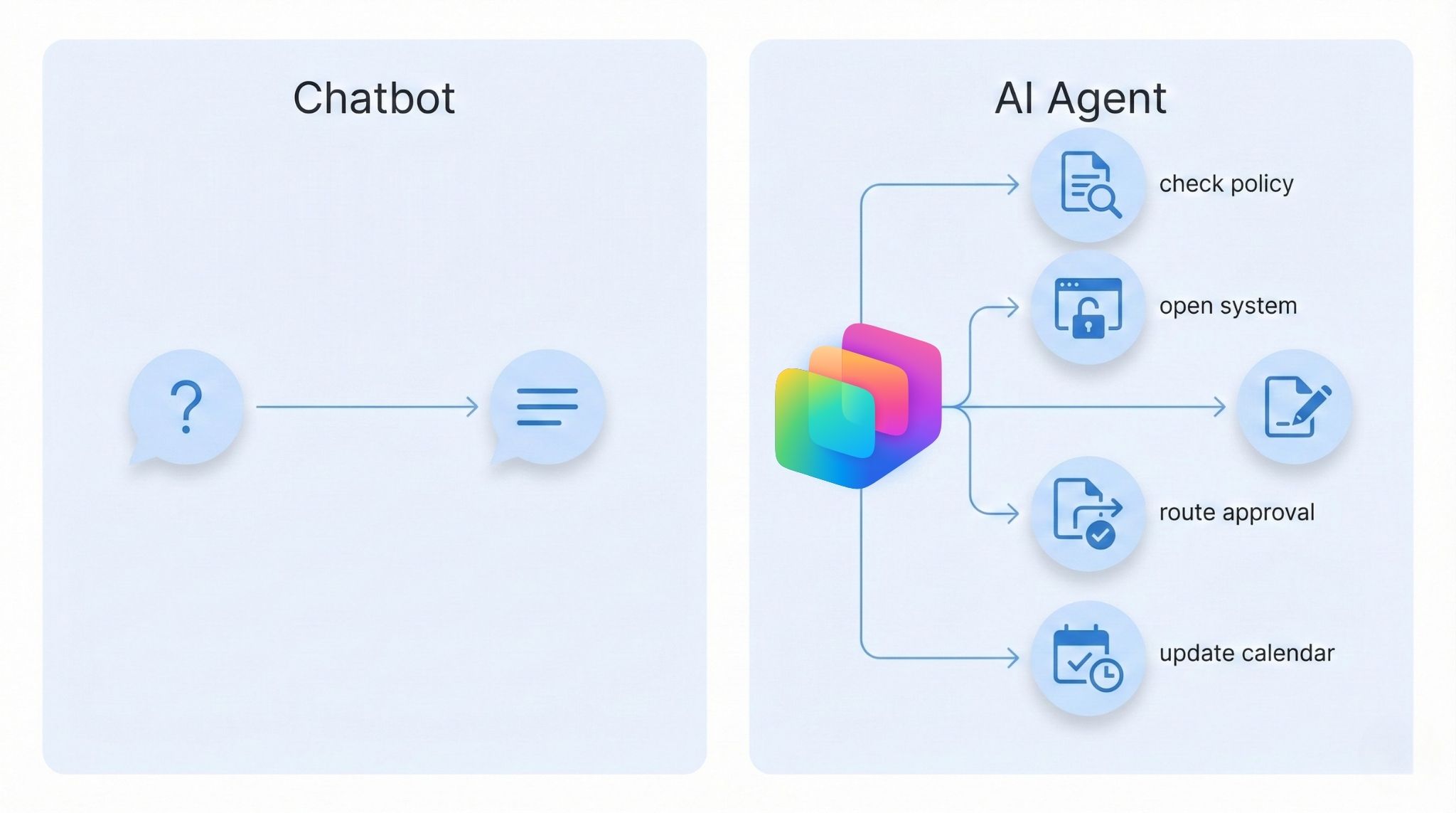
Traditional chatbots follow scripted decision trees. Ask the right question and you get an answer. Ask the wrong one and you hit a dead end.
AI agents are fundamentally different. They can understand context, reason through multi-step problems, take actions across business systems, and adapt their approach based on what they learn.
Practical example: A chatbot can tell an employee their leave balance. An AI agent can check the balance, cross-reference it with team schedules, draft a leave request, route it for approval, and update the shared calendar from a single prompt.
2) What is Microsoft Copilot Studio?
Microsoft Copilot Studio is a low-code platform that allows organisations to build, customise, and deploy AI agents across their Microsoft 365 environment. It supports standalone agents for employee and customer scenarios, extensions to Microsoft 365 Copilot, and agents that can perform longer-running operations on behalf of users.
Copilot Studio evolved from Microsoft Power Virtual Agents, which launched as a no-code chatbot builder. In late 2023, Microsoft moved Power Virtual Agents capabilities into Copilot Studio to support a broader shift from scripted bots to context-aware agents.
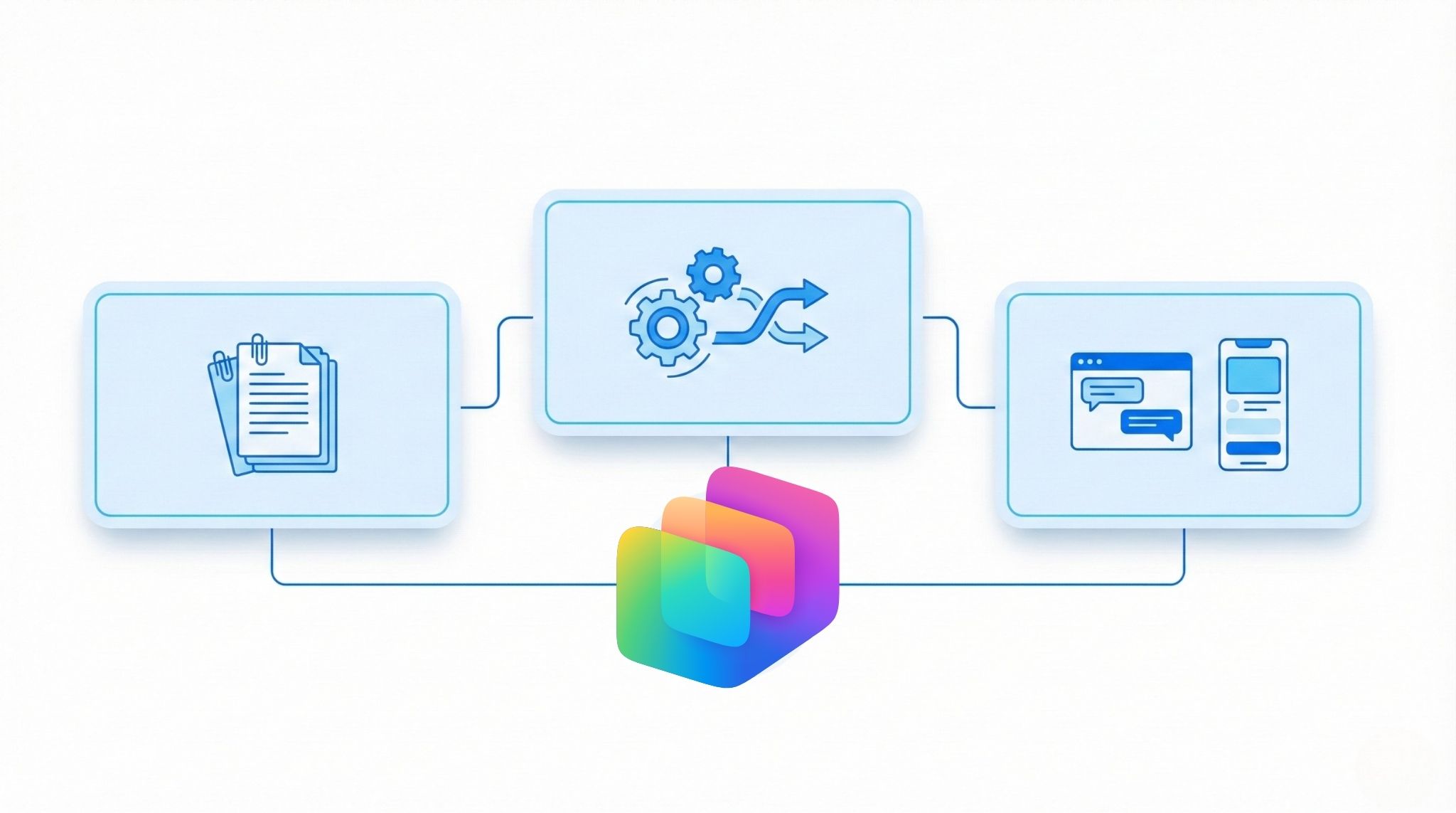
Combine knowledge grounding (answers based on your content), actions (workflows and connectors), and deployment channels (Teams and web) so agents can be used where work happens.
3) Why AI agents matter for business
The business case for AI agents is grounded in a simple reality: knowledge workers are overwhelmed. Microsoft’s research on the “infinite workday” highlights how digital demands can expand to fill every hour.
AI agents address this by handling operational work that consumes disproportionate time. Rather than replacing people, they help professionals focus on higher-value activities like strategy, relationship building, and complex problem-solving.
- Triaging requests (IT, HR, operations)
- Drafting and routing documents for approval
- Finding information across messy knowledge bases
- Updating systems after decisions are made (tickets, records, calendars)
Agents turn AI from individual productivity hacks into repeatable systems: standardised workflows, measurable outcomes, and governance-friendly deployment across the organisation.
- Deloitte’s 2026 State of AI in the Enterprise reports many organisations seeing productivity and efficiency gains from AI.
- OpenAI’s enterprise research reports many workers saying AI improved speed or quality of output.
- Menlo Ventures reports strong growth in enterprise spending on generative AI.
- Workplace Intelligence and Writer report higher success rates for organisations with a formal AI strategy.
4) How organisations are already using Copilot Studio
The shift from experimentation to real deployment is already underway. The examples below are widely cited because they include measurable outcomes, not just prototypes.
- Microsoft (Ask Microsoft web agent): Microsoft reported improvements such as lower latency and fewer human escalations after upgrading its agent experience using Copilot Studio.
- PG&E (help desk demand): PG&E reported that an AI assistant handled a portion of help desk demand, with a published example showing time savings for SAP account unlock requests.
- The Estée Lauder Companies (ConsumerIQ): Public commentary describes an agent that analyses documents to identify trends and produce recommendations, reducing insight collection time.
- TAL Insurance (Australia): Public reporting discusses time savings after rolling out Copilot-related initiatives for document preparation and claims work.
Pattern to notice: These wins typically target repeatable workflows (support, search, document prep, approvals) and deploy agents where users already work (Teams and web).
5) The skills gap: why training matters now
Despite the momentum, a significant barrier remains: the AI skills gap. Multiple industry reports identify skills and education as central to moving from experimentation to enterprise impact.
The gap is not only technical. Business professionals, managers, analysts, and IT teams all need to understand what agents can do, how to design effective workflows, and how to govern agents responsibly.
- How to ground an agent in trusted knowledge
- How to design safe actions and approvals
- How to test, measure, and iterate
- How to deploy to the right channels (Teams and web)
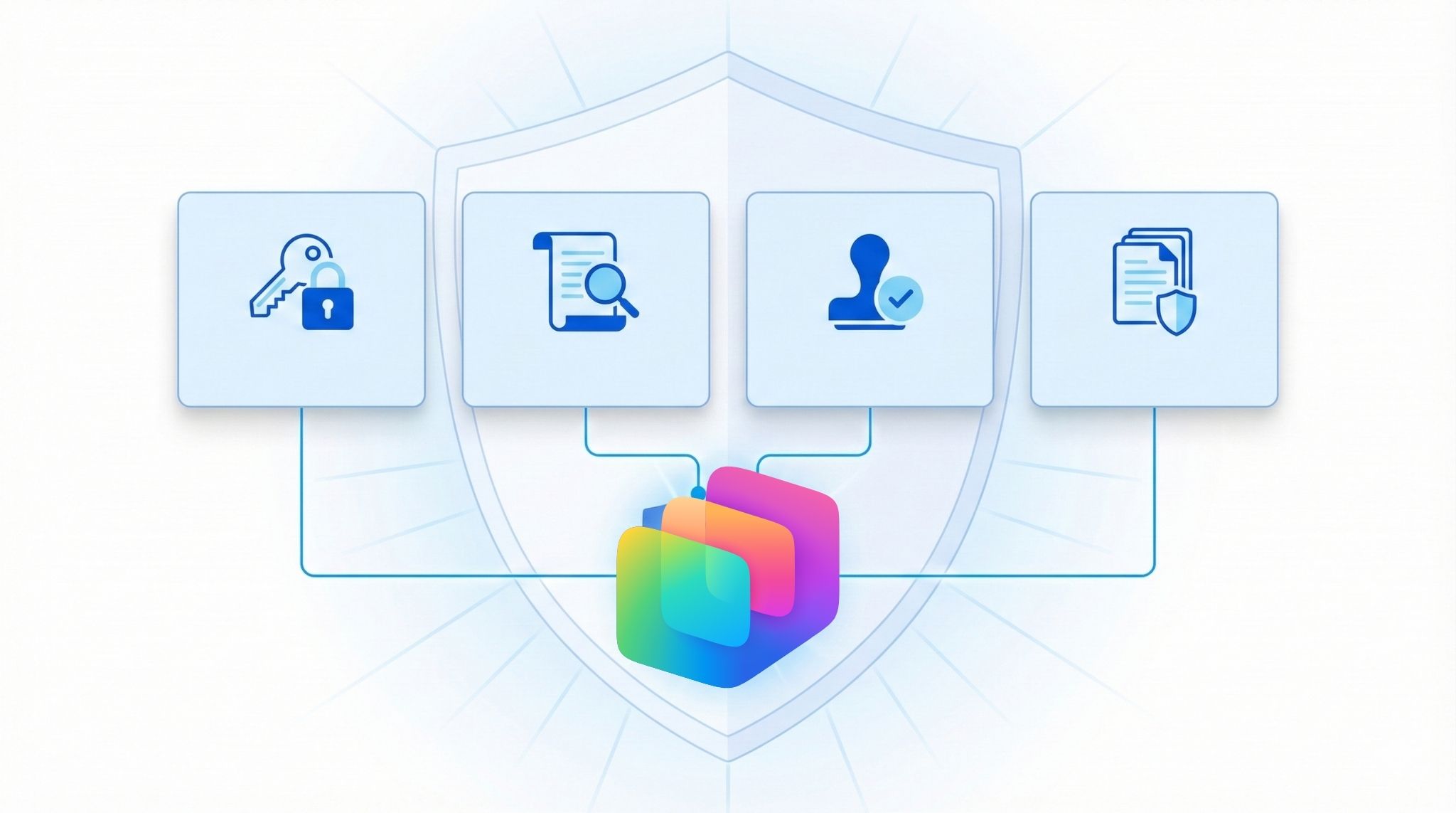
- Define who can publish agents (roles and approval)
- Use least-privilege access to data sources
- Log actions and review outcomes
- Maintain approved knowledge sources for grounding
6) Getting started: building AI agents with Copilot Studio
Copilot Studio’s low-code approach means you do not need a software engineering background to build useful agents. You do need to understand the platform’s building blocks, how to connect knowledge sources, how to design safe workflows, and how to deploy agents across the right channels.
- Pick one high-volume scenario: service desk request, onboarding question, policy lookup plus action.
- Define the “done” outcome: ticket created, approval routed, document produced, record updated.
- Connect one trusted knowledge source: SharePoint library, approved pages, or a curated folder.
- Add one action: Power Automate flow for the step people hate doing manually.
- Test with real users: capture where it fails, then refine prompts and flows.
- Deploy where work happens: Teams first for internal agents is often a quick win.
- Measure and iterate: deflection rate, time saved, resolution time, and user satisfaction.
Pro tip: Start with “answer plus route” (find the right info, then create a ticket or approval) before moving to more autonomy. This keeps risk low while you build confidence.
For teams ready to move from curiosity to capability, structured learning is the most efficient path. Nexacu’s Microsoft Copilot Studio: Building AI Agents course takes participants through the practical process of building agents, from foundations to hands-on deployment within Microsoft 365.
7) FAQs (expand to read)
These are common questions teams ask when they first hear “AI agents”.
Is Copilot Studio just a chatbot tool?
It started with chatbot roots (Power Virtual Agents), but Copilot Studio is positioned as an agent platform: grounded answers, workflow actions, and deployment across Microsoft 365 channels.
Do AI agents replace people?
In most organisations, the value is shifting time away from repetitive operational work so people can focus on exceptions, judgement-heavy tasks, customer conversations, and quality control.
Where should we start with agents?
Start with one high-volume workflow where the completed outcome is clear (ticket, approval, record update). Ground the agent in trusted content, add one safe action, deploy in Teams, and measure impact.
What is the biggest risk with AI agents?
Governance is the key risk: permissions, approved knowledge sources, auditing, and safe action design matter. Treat agents like business systems, not casual tools.
8) Sources and further reading
Links below are included for readers who want the underlying references and examples.
- Microsoft Work Trend Index: infinite workday
- Microsoft: Power Virtual Agents now part of Copilot Studio (Nov 2023)
- Microsoft Learn: Copilot Studio overview
- Microsoft customer stories (search for Copilot Studio examples)
- Deloitte: State of AI in the Enterprise
- OpenAI: enterprise research and reports
- Menlo Ventures: enterprise AI perspectives
- Workplace Intelligence: AI adoption research
9) The bottom line
AI agents are not a future trend. They are a present reality reshaping how organisations operate across industries and functions. Microsoft Copilot Studio provides an accessible, enterprise-grade platform to build agents, and organisations that develop internal capability now will be better positioned to realise productivity and efficiency gains.
The question is no longer whether AI agents will change the way your organisation works. It is whether your team will be ready when they do.
Learn Copilot Studio with hands-on, workplace-focused training
Nexacu’s Microsoft Copilot Studio: Building AI Agents course is a practical, instructor-led day designed to help teams design, build, test, and deploy agents within Microsoft 365, using governance-friendly patterns and real use cases.
- IT help desk triage plus ticket creation
Deflect common questions and route exceptions
- HR policy plus request workflow
Answer policy queries and launch approvals
- Onboarding checklist assistant
Reduce follow-ups and standardise steps
Note: Copilot Studio features and licensing vary by tenant and Microsoft 365 configuration. If you plan to deploy agents broadly, confirm governance, permissions, and compliance requirements with your Microsoft 365 admin team.
































