Recent Searches
Category

Microsoft Power BI

Category

Microsoft Copilot Courses

Category

AI for Business

Category

Microsoft Windows 11 Courses

Category

Microsoft 365

Category

Microsoft Excel

Category

Excel Specialist

Category

Microsoft Project

Category

R Programming

Category

Python

Category

Power Apps

Category

SQL

Category

SharePoint

Category

Microsoft Teams

Category

Power Automate

Category

Microsoft Visio

Category

Microsoft PowerPoint

Category

Microsoft Word

Category

Microsoft Outlook

Category

Adobe InDesign Courses

Category

Adobe Photoshop Courses

Category

Adobe Illustrator Courses

Category

Adobe Premiere Pro Training

Category

Adobe After Effects Training

Category

Adobe Acrobat Courses

Category

Adobe Captivate Training

Category

Adobe Animate Training

Category

Canva Courses

Category

HTML Courses

Category

WordPress

Category

Professional Development

Category

Microsoft Access

Category

Webinars

Course

Power BI Beginner

Course

Copilot for M365

Course

Windows 11 End User Course

Course

Excel Beginner

Course

Financial Modelling

Course

Project Beginner

Course

R Programming Beginner

Course

Python Beginner

Course

Power Apps Beginner

Course

SQL Beginner

Course

SharePoint Beginner

Course

Teams Essentials

Course

Visio Essentials

Course

PowerPoint Level 1

Course

Word Intermediate

Course

Word Beginner

Course

Word Advanced

Course

Microsoft Outlook Beginner to Intermediate

Course

InDesign Lite

Course

Photoshop Lite

Course

Illustrator Training Intro

Course

Premiere Training Intro

Course

After Effects Training Intro

Course

Acrobat Essentials

Course

Captivate Training

Course

Animate Training Intro

Course

Canva AI

Course

HTML Training Intro

Course

Achieving Leadership & Success

Course

Microsoft Access Essentials

Course

Copilot for M365 On Demand

Course

Power BI Intermediate

Course

Copilot for Word

Course

ChatGPT Beginner

Course

Microsoft 365 Beginner

Course

Excel Intermediate

Course

Analysis and Dashboards

Course

Project Intermediate

Course

R Programming Intermediate

Course

Python Intermediate

Course

Power Apps Intermediate

Course

SQL Intermediate

Course

SharePoint Intermediate

Course

PowerPoint Level 2

Course

InDesign Training Intro

Course

Photoshop Training Intro

Course

Acrobat Forms

Course

Anger Management & Negotiation Skills

Course

Copilot for M365 Live Online

Course

Power BI Advanced

Course

Copilot for Excel

Course

AI Prompting Fundamentals

Course

Microsoft 365 Intermediate

Course

Excel Advanced

Course

Excel VBA

Course

Project Advanced

Course

R Programming Advanced

Course

Python Advanced

Course

Power Apps Intermediate | Power Automate + Power BI Integration

Course

SharePoint Advanced (Site Owner)

Course

InDesign Training Advanced

Course

Assertiveness & Confidence

Course

Microsoft Access Advanced

Course

Power BI DAX

Course

Copilot for PowerPoint

Course

Excel Expert

Course

Machine Learning in R

Course

Power Apps Advanced

Course

SharePoint Advanced (Document Governance)

Course

Building Resilience

Course

Copilot for Outlook and Teams

Course

Coaching and Mentoring

Course

Illustrator Training Advanced

Course

Premiere Basics Training

Course

Advanced After Effects Training

Course

Canva Beginners

Course

WordPress Essentials

Course

Communications

Course

AI for Business Leaders and Managers

Course

Photoshop Training Advanced

Course

Advanced Premiere Training

Course

Canva Intermediate

Course

Communications & Quality Client Service Training

Course

InDesign Interactivity Training

Course

Canva Advanced

Course

Critical Thinking and Problem Solving

Course

InDesign Accessibility Training

Course

Cultural Diversity in the Workplace

Course

Microsoft Outlook Advanced

Course

Embracing Change

Course

SQL Advanced

Course

Growing Emotional Intelligence

Course

Planner Premium

Course

Minute Taking

Course

Excel Tables and Pivot Tables

Course

Power Automate Beginner

Course

Performance Management

Course

Data Transformation with Power Query

Course

Excel Macro Mastery

Course

Power Automate Intermediate

Course

Persuasion and Negotiation Skills

Course

Power BI Desktop Advanced Reporting

Course

Presentation Skills and Public Speaking

Course

Data Visualisation with Power BI Desktop

Course

Practical Project Management

Course

Respect, Equity and Diversity (RED)

Course

Resumé Writing and Interview Skills

Course

Stress Management

Course

Team Leadership, Management and Development

Course

Time Management Intensive

Course

Train the Trainer

Course

Write Effective Business Documents

Course

Dealing with Difficult People

Course

Managing Difficult Conversations

Course

Managing the Virtual Workplace

Course

Customer Service Training

Course

Technical Writing

InDesign vs Canva: Which Design Tool Should Your Team Use?

InDesign and Canva both have a place in modern business teams, but they solve different problems. Canva is ideal for quick social graphics and fast template-based content, while Adobe InDesign is better for professional documents, multi-page layouts, and precise brand control. This guide compares the key differences, business use cases, and practical considerations to help your team choose the right design tool.

Watercolour picture of website designs
Understanding SharePoint Permissions

SharePoint permissions become important after you have created your first SharePoint site. With your new site you may want to provide or restrict user access to the site or its contents.

Remote Working
Why Remote Workers Outperform Office Workers

Office workers find it more difficult to concentrate at their desks. Read why companies are opting for remote work and how you can begin to start integrating it in your business today.

Create a flow from Excel
Microsoft Flow August Update

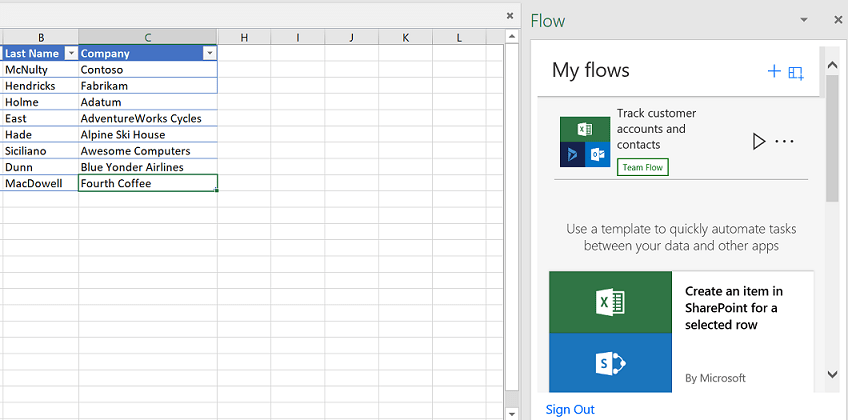
With the new August updates in Flow you can now create Flows directly from Excel. This is done with the new Flow button where you can create and trigger automations from Flow.


Power BI Integration with Office 365 Part II

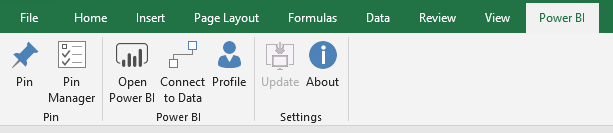
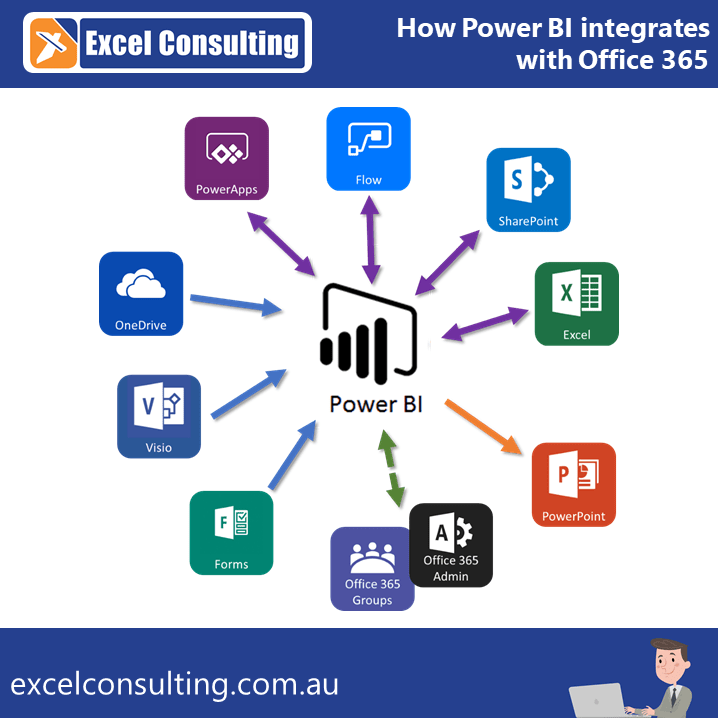
Following on from Tuesday's post we come with the second post of our Power BI Seamless Integration series. Last week we delved into Apps that provide information to Power BI and this week we will be delving into Apps that integrate directly with Power BI and how to deal with Administration.

Power BI Integration with Office 365 Part I

For our next series on Power BI our trainer Matt has put together a comprehensive guide on seamless Power BI Integration with Office 365. So, this follows along from last weeks series on Power BI Dashboard creation. For example, using Power BI integrations with Office 365 you will be able to create more powerful data driven dashboards.

Power BI Creation Series - Episode 2

Matt has created an interactive dashboard showcasing our upcoming courses with a powerful filter technique. Learn how you can do the same.

power bi courses nexacu
Power BI Creation Series - Episode 1

Last week we created an interactive Power BI dashboard. As a result, we were able to use it to showcase our upcoming courses. Allowing anyone to filter the results based upon courses, locations and dates. We have received lots of questions about how we created the dashboard and this article will describe some key elements of the dashboard and how we created them.

Team at desk fist bump
Office 365 – What you need to know

Microsoft Office 365 in a general sense is an integrated platform of services. Read below for our take on the positives and negatives of Office 365.

Screenshot of Windows File Explorer
Office 365 Capabilities

With the constant updates and upgrades to the Office 365 platform it can be easy to lose touch with some of the most effective Office 365 capabilities. Here’s a rundown of some of our top Office 365 functionalities.

Screenshot of Teams
New Functionality: Adding Guests to Microsoft Teams

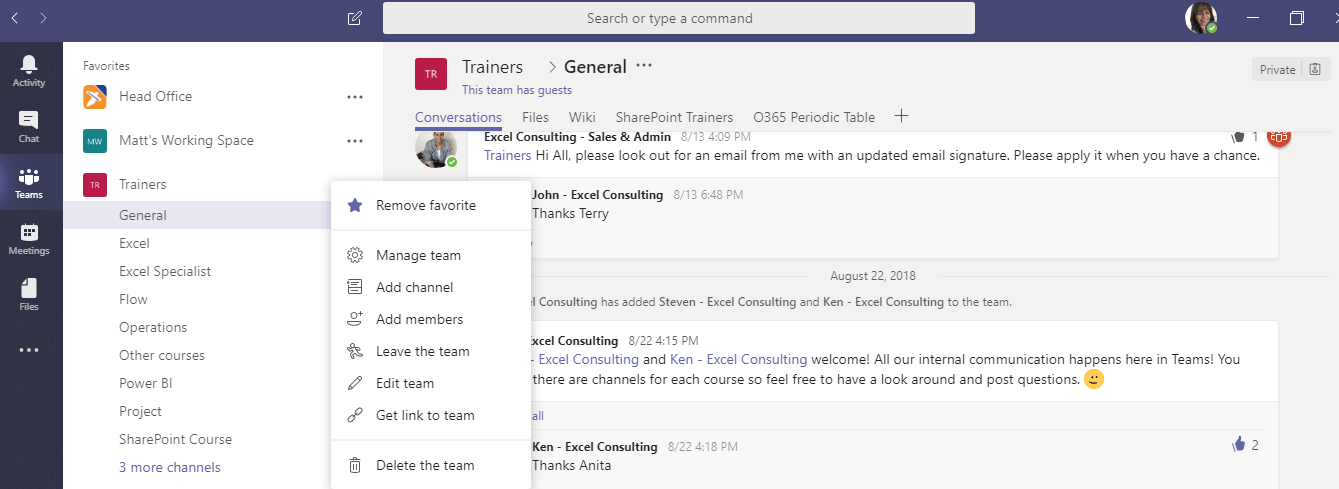
Microsoft teams now supports the functionality to add guests to Microsoft Teams accounts. This is a great addition to Microsoft Teams as it means that anyone with an email can participate as a guest in Teams.

Screenshot of SharePoint
Guide to less familiar Microsoft Products

Most people have heard of the core office products such as Excel, Word and PowerPoint. Today, we want to give you a flavour of the other applications we offer and regularly teach.

What is Financial Modelling
What is Financial Modelling?

What is Financial Modelling? It's a term we hear but often have very different ideas about what constitutes financial modelling. So how do we define it? Nexacu offer an introductory course for Financial Modelling in Excel.

Trigger Flow instruction
Manage your connections with Flow

In the age of the mobile phone why are we still using business cards?

I say the business card is dead and it’s time to move on to bigger and better things…Like creating a flow to manage your business connections. Connect with people, share your brand discover opportunities. In this flow we will be gathering a persons name and email address along with some brief notes, adding that to a SharePoint list and then sending them a personalized email 4 hours later.


Topics

SQL
css

Trusted Nationwide by Leading Organisations

at Nexacu, we're proud to be the trusted training partner for hundreds of leading organisations accross Australia and New Zealand. From government departments to top corporates, we help teams upskill and succeed everyday

  • 400+ companies rely on Nexacu for team training
  • Trusted by federal, state, and local government agencies
  • Delivering training across 9 countries

Why Nexacu?

Books Icon

Step by Step Courseware

Custom workbook included with a step by step exercises

Facility Image 2
Facility Image 3
Facility Image 1

Refresh Icon

Free Refresher

Resit your course for free within 6 Months

More than 1,300 Business trust Nexacu

Trusted by Business

Procured by Government

Procured by Goverment

Reviews Not Found

Valued by Individuals